
Add an Inventory Transaction
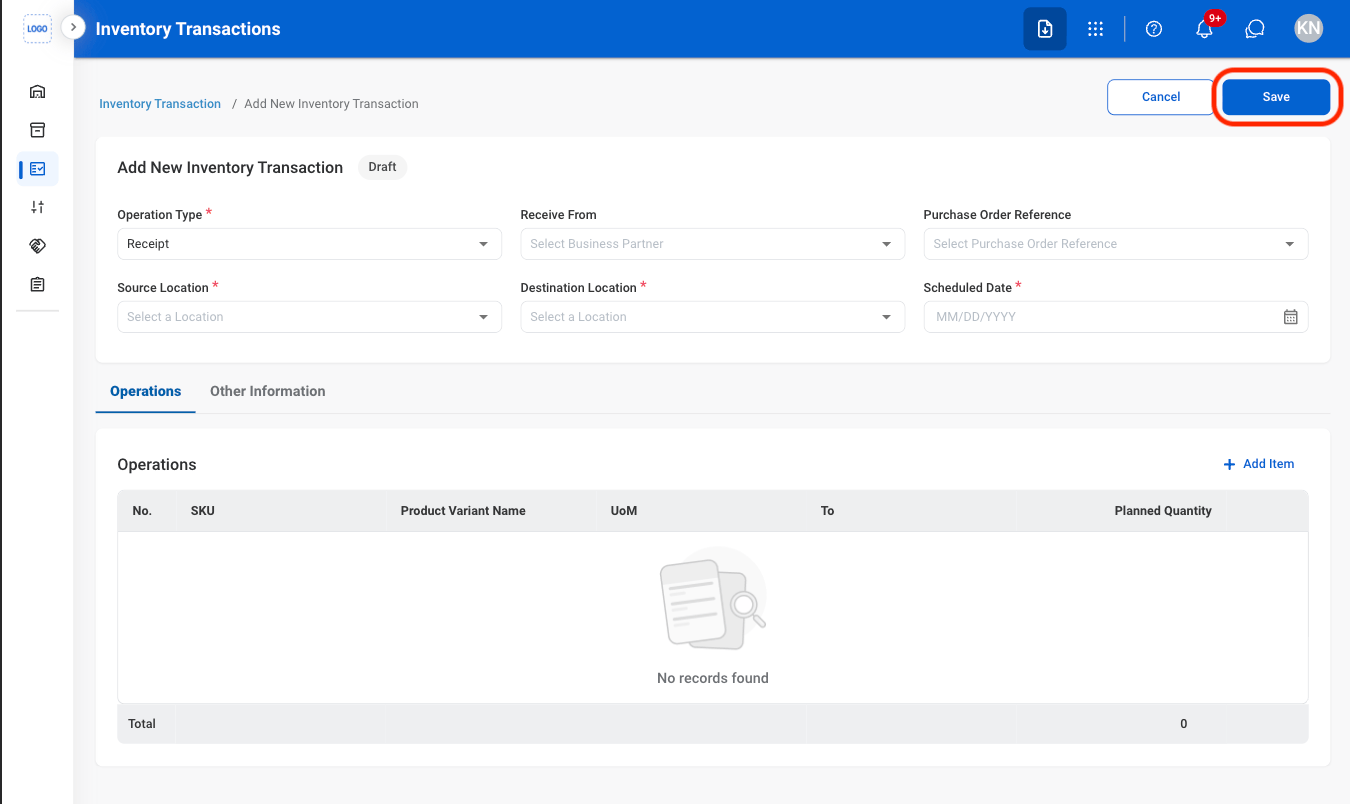
Create a new inventory transaction by entering the required transaction details. The transaction is saved with a Draft status and can be updated before processing begins.1
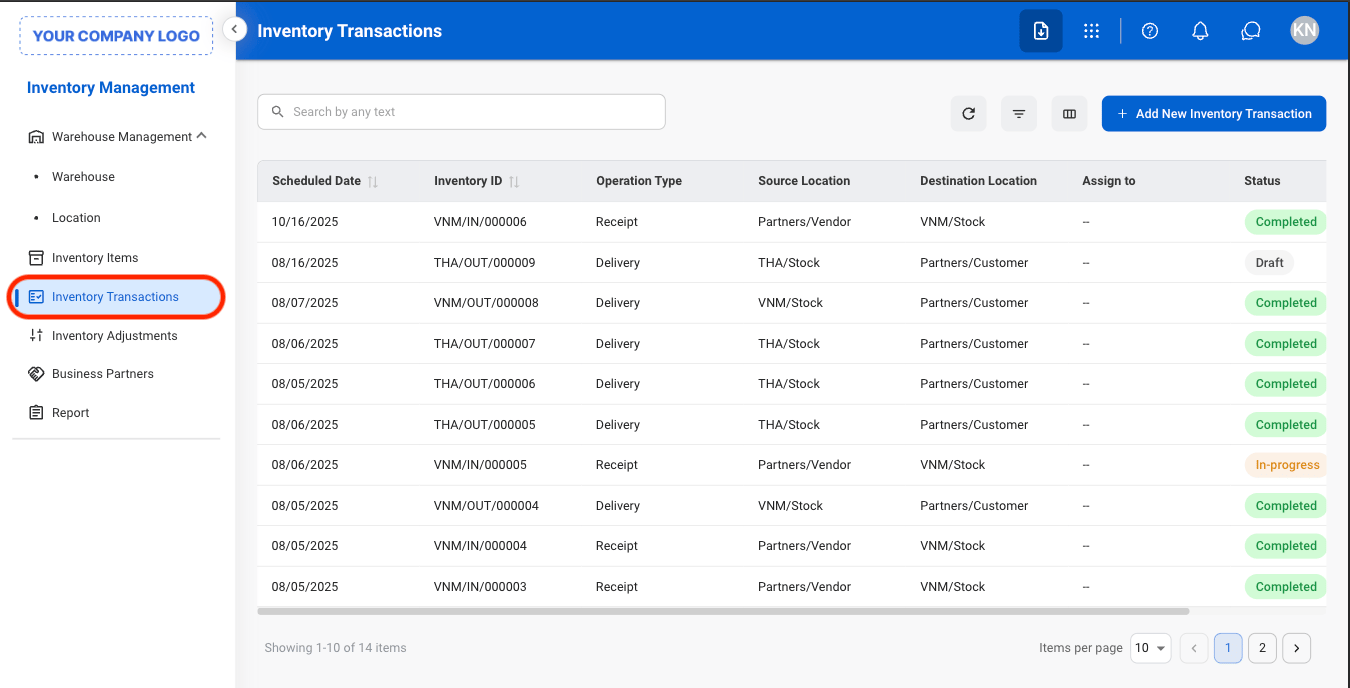
Navigate to Inventory Transactions
2
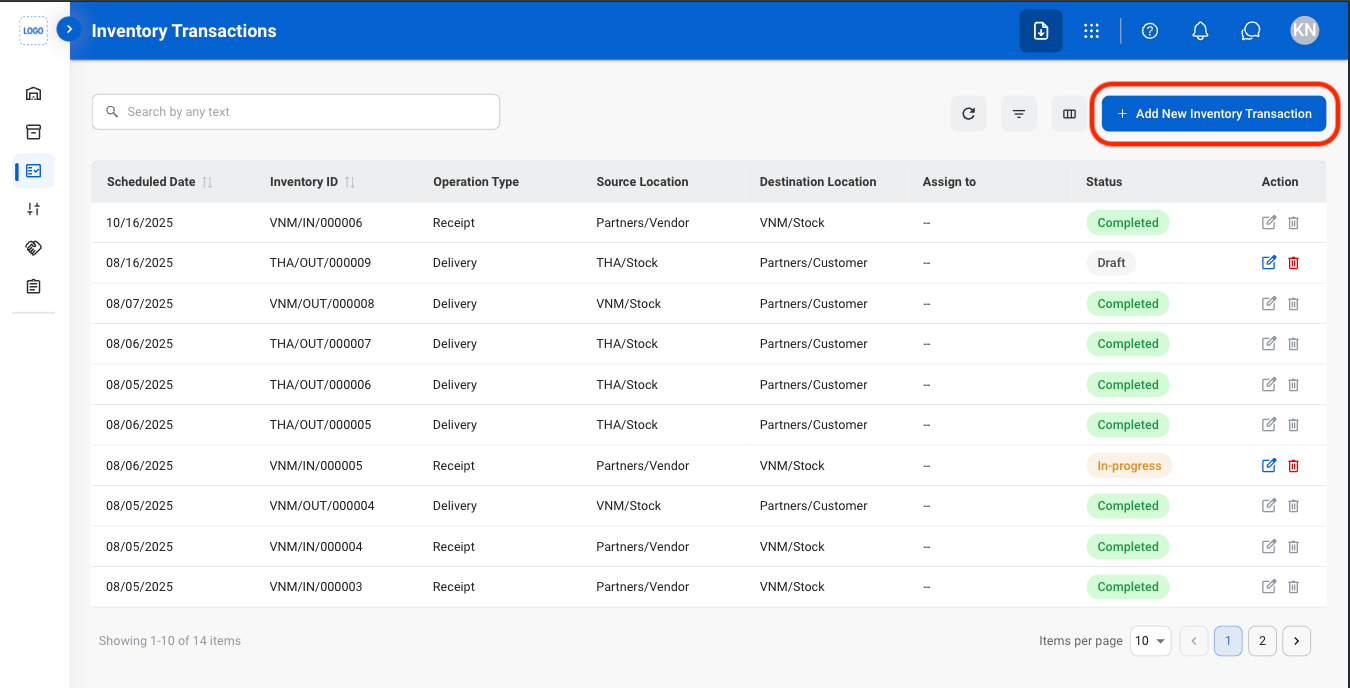
Select Add New Inventory Transaction
3
Fill in the required information
Mark an Inventory Transaction as To-Do
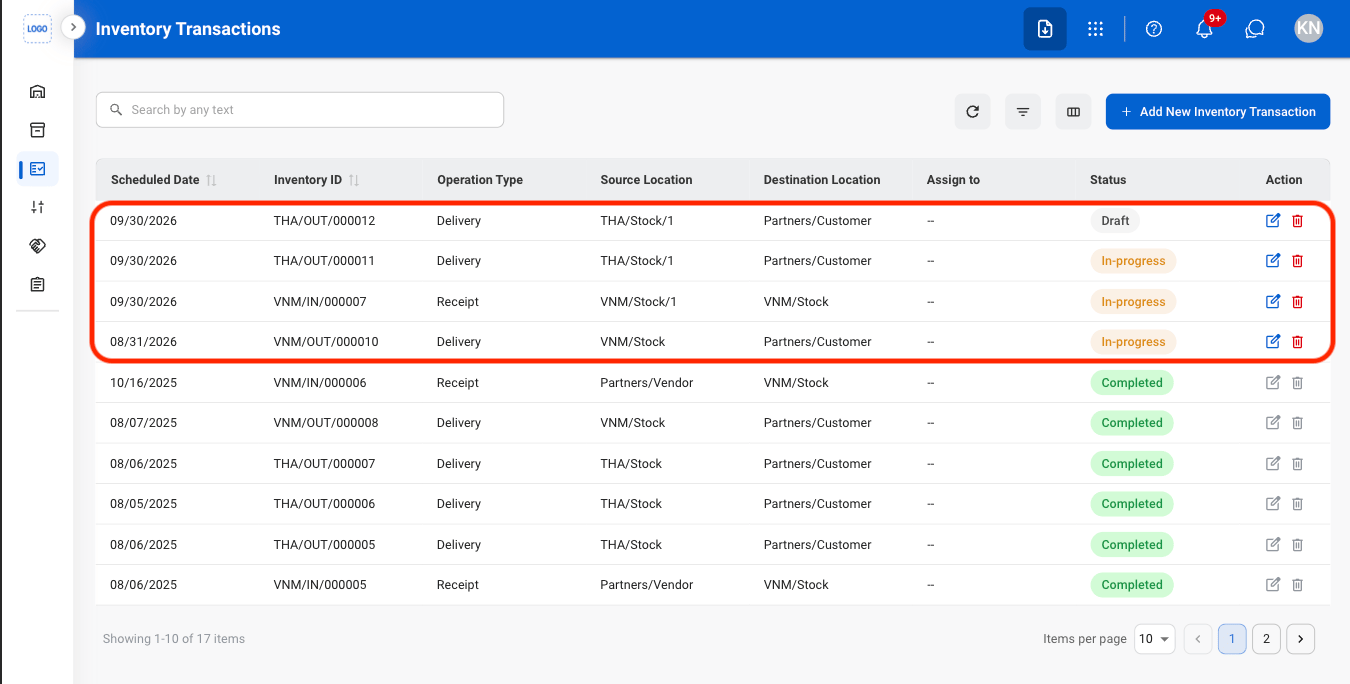
Initiate an inventory transaction for processing by entering the planned and actual quantities. This action is available for transactions with a Draft or In Progress status.1
Select a transaction
2
Select Mark as To-Do
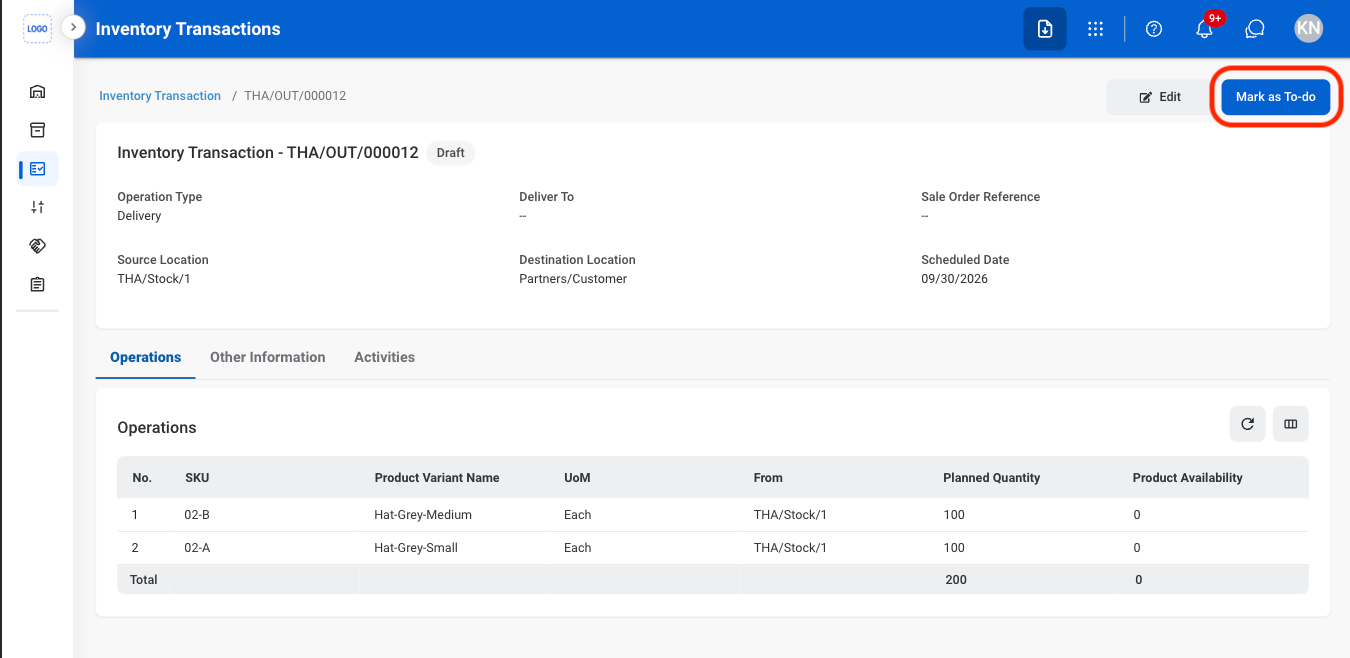
3
Fill in the required information
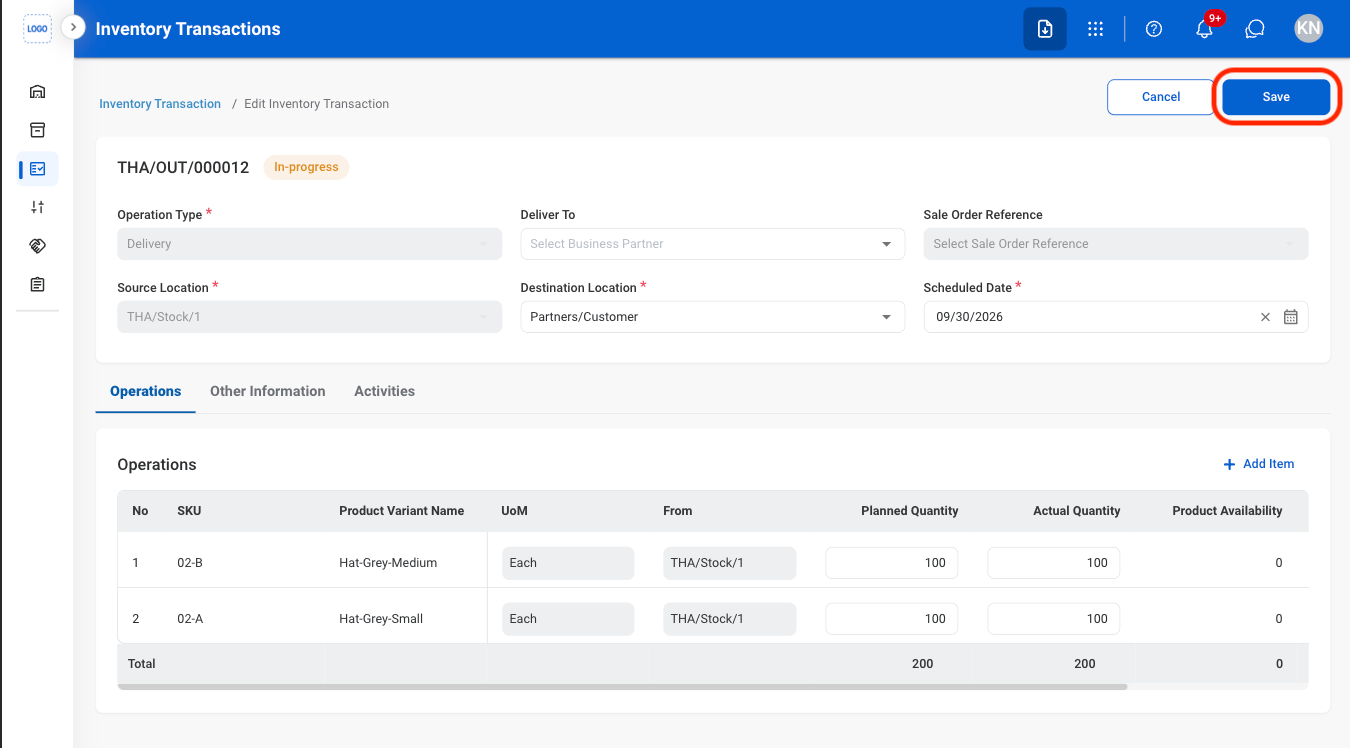
Validate an Inventory Transaction
Verify the transaction details and confirm that all required inventory conditions are met. This action is available for transactions with a In Progress status. Once successfully validated, the transaction is marked as Complete and the inventory movement is recorded.1
Select Validate
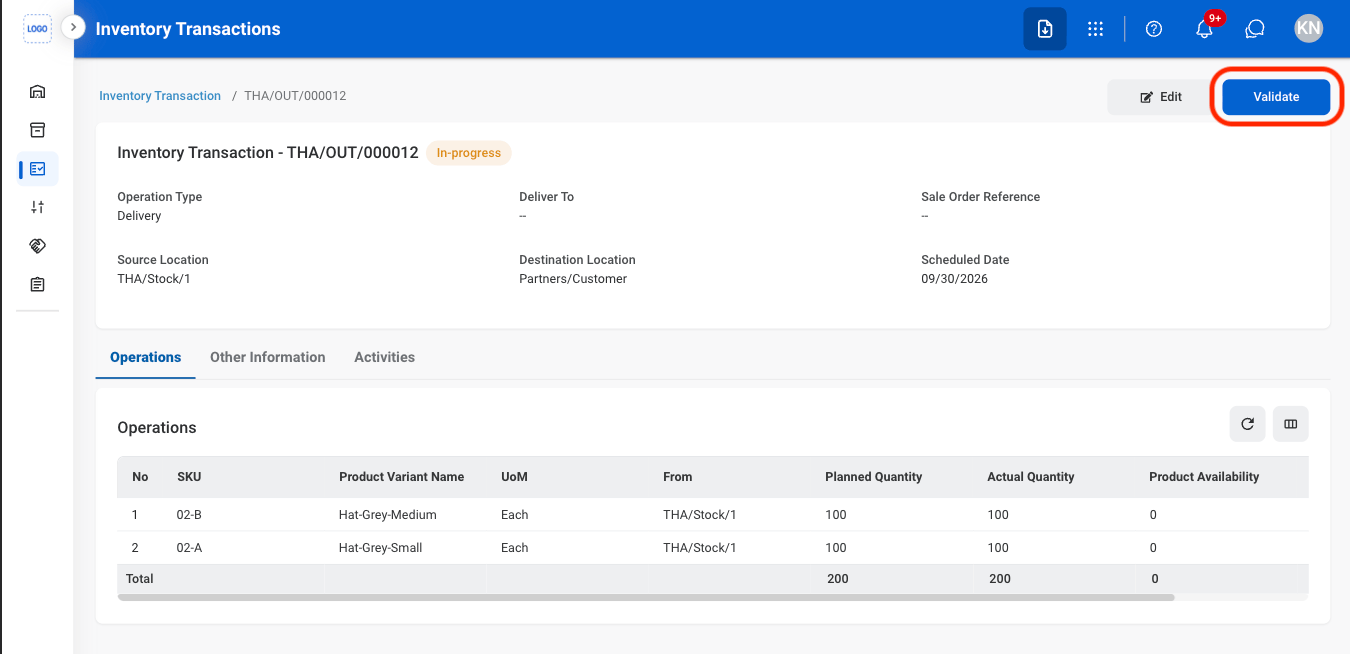
2
Fill in the required information
Select Save to complete or Cancel to exit without saving changes.
Modify an Inventory Transaction
1
Select an action
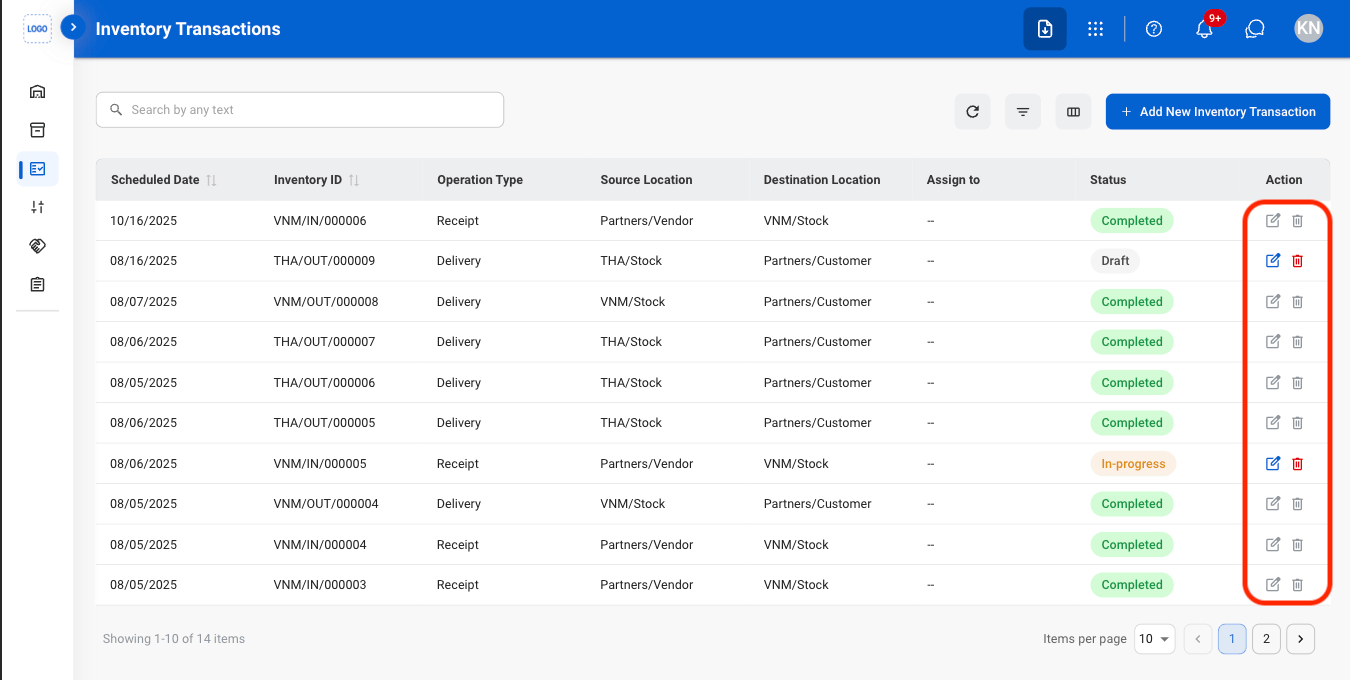
Completed Inventory Transactions cannot be edited or deleted.
2
Confirm the action
- Edit: Fill in the required information. Select Save to complete or Cancel to exit without saving changes.
- Delete: Select Delete to complete or Cancel to exit without saving changes.