
Add a Document
1
Navigate to Transition Phase
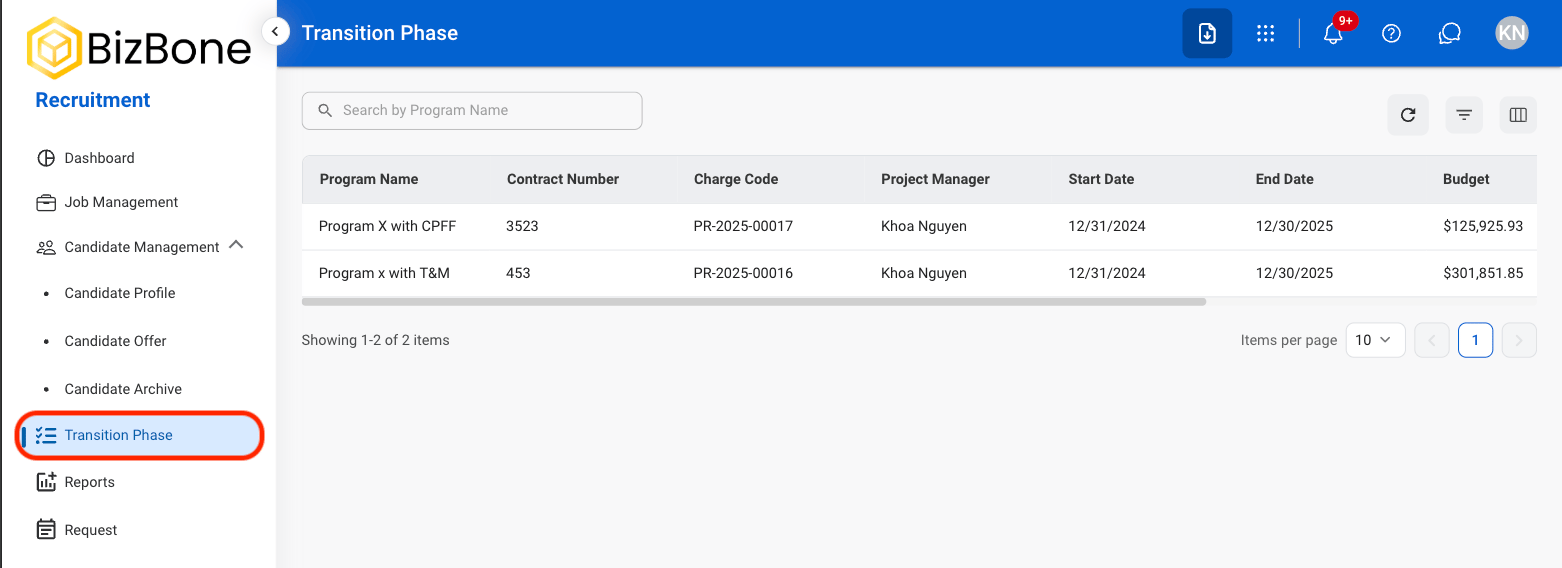
2
Select a program
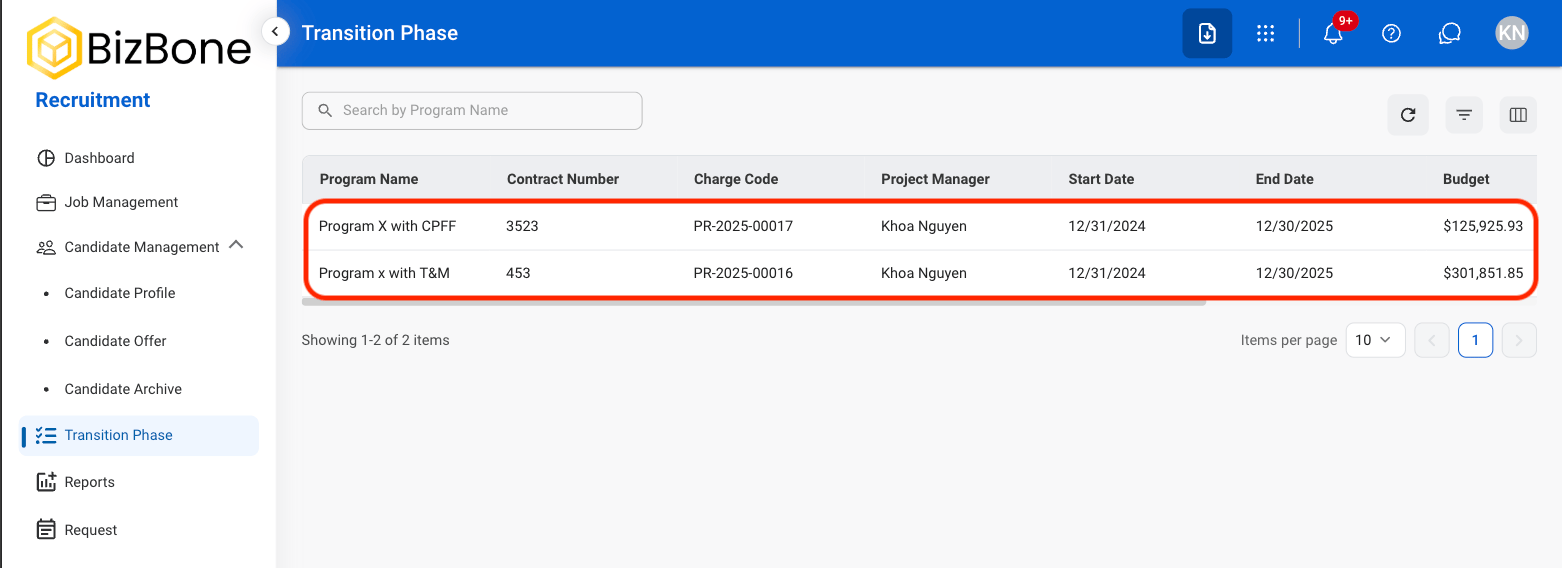
3
Select General Information
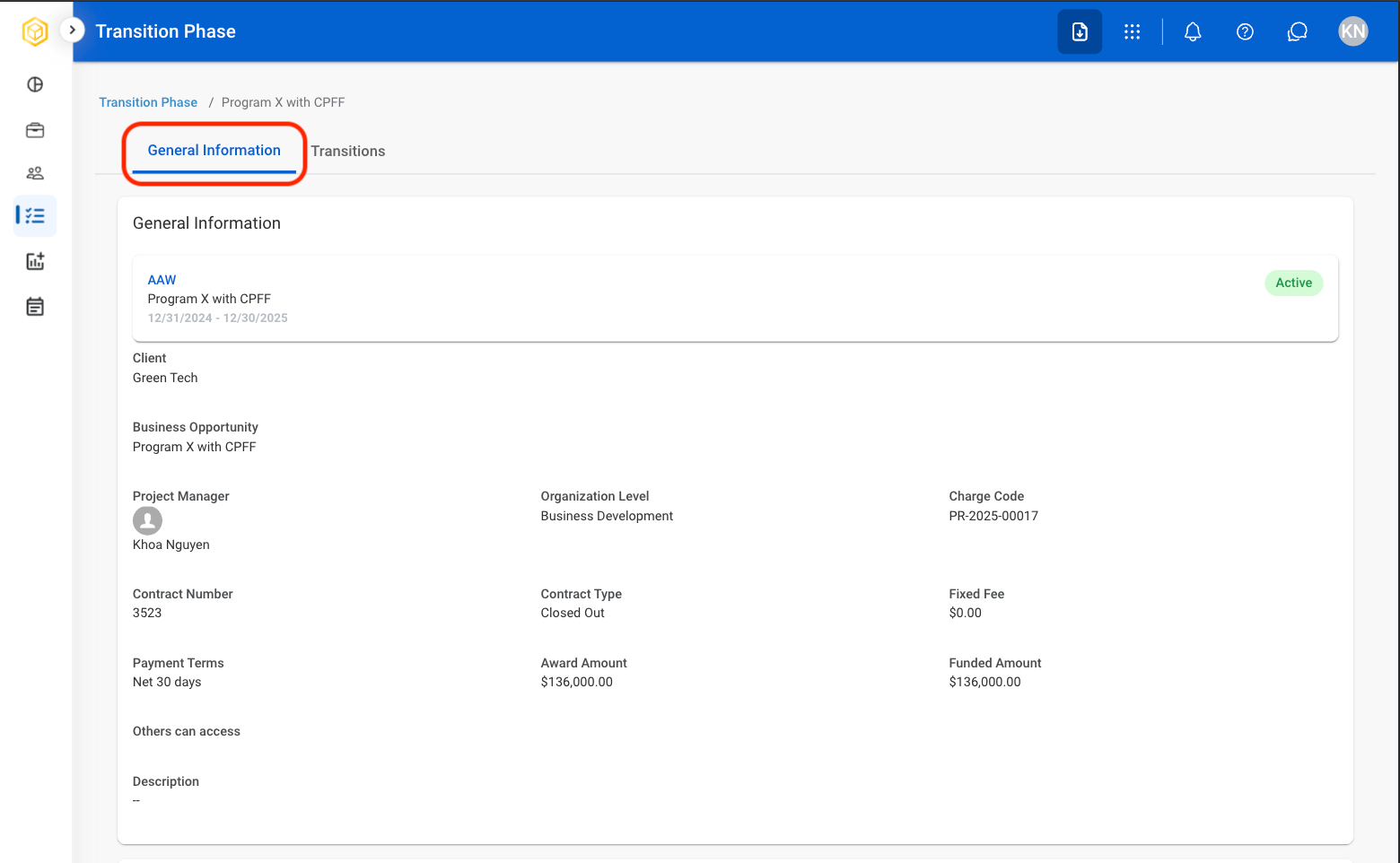
4
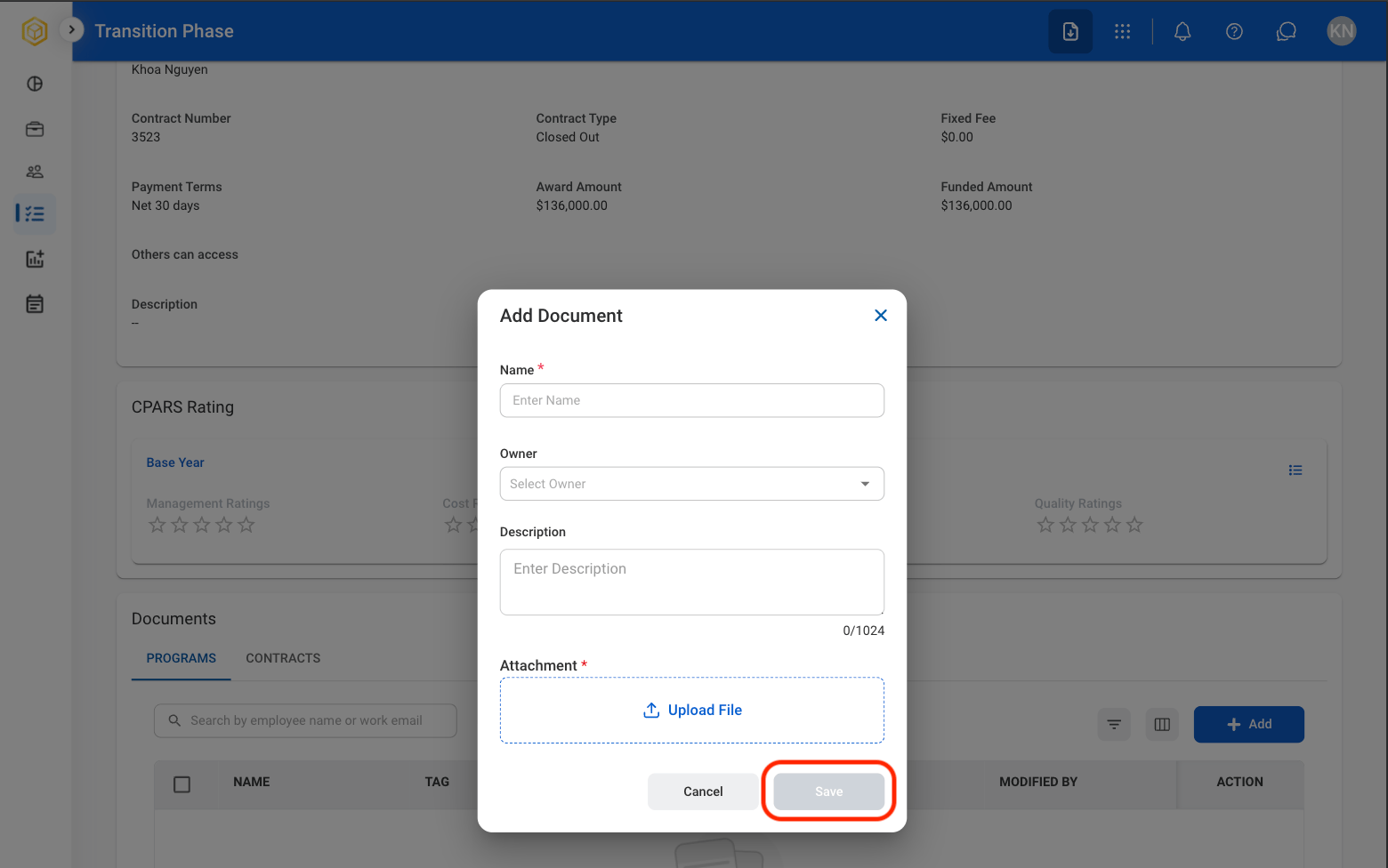
Under Documents, select Add
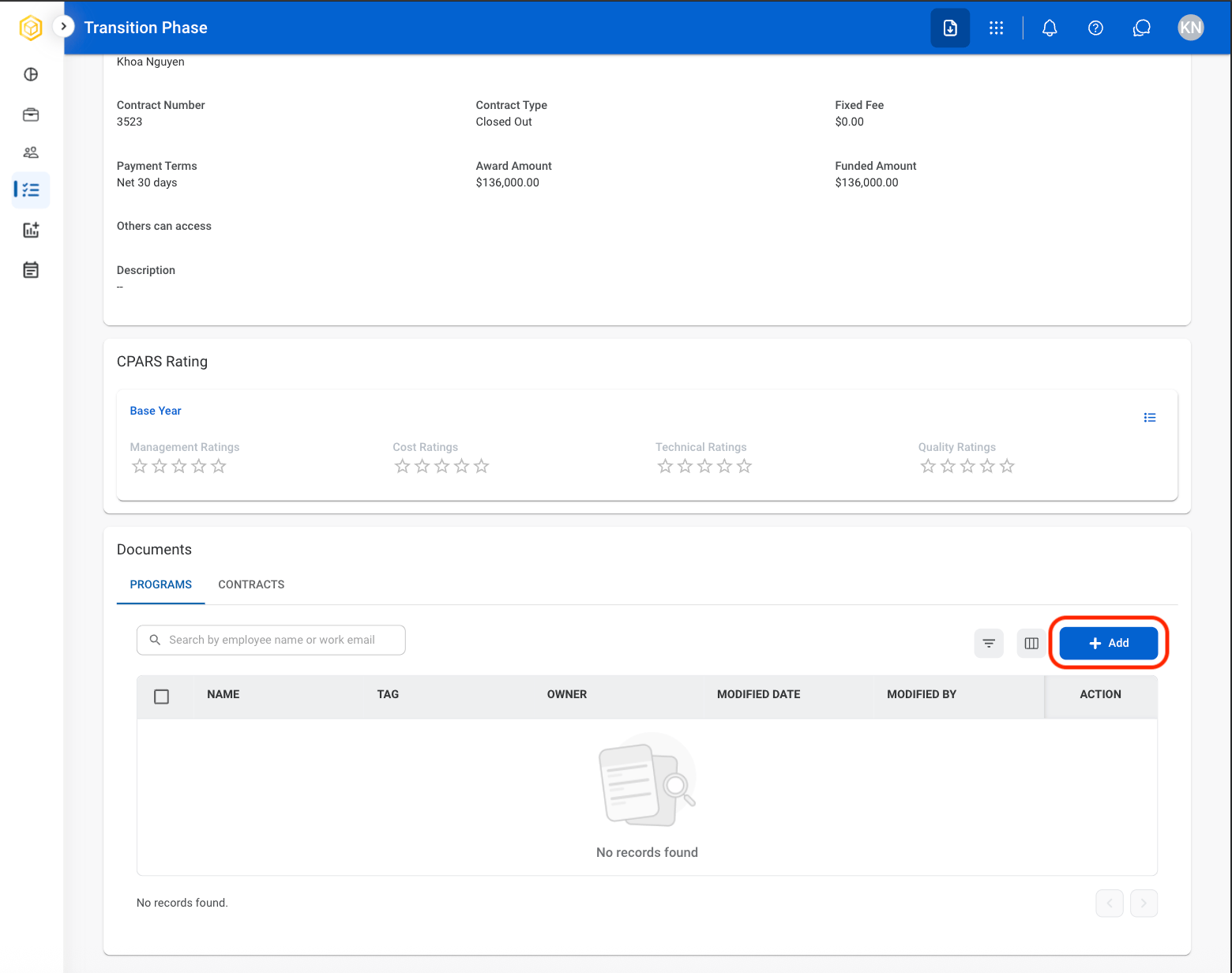
5
Fill in the required information.
Edit, Download, or Delete a Document
1
Select a program
2
Select General Information
3
Under Documents, select the desired icon in the Action column
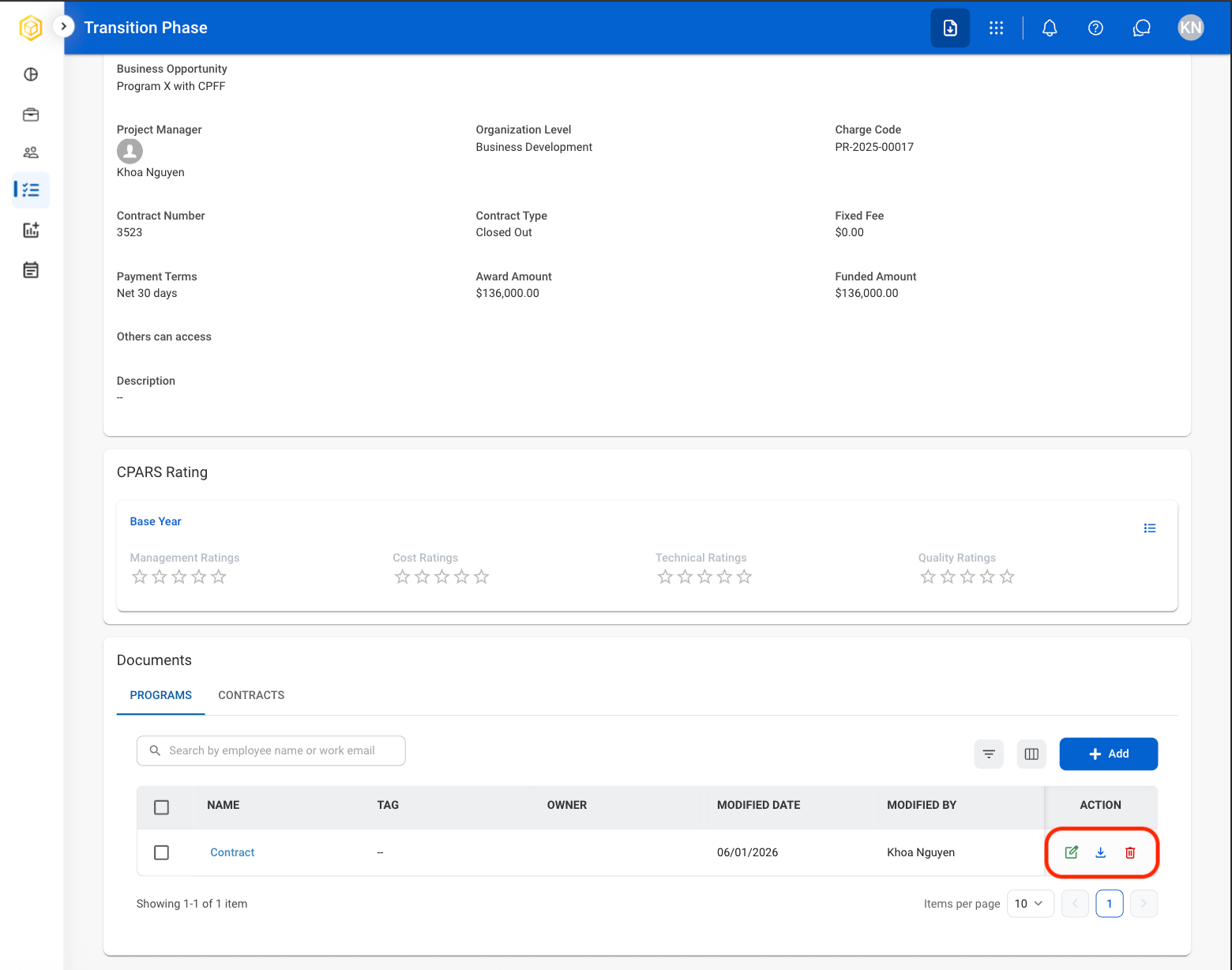
- Edit: Replace or modify the uploaded document.
- Download: Download the uploaded documents to the local device.
- Delete: Remove the uploaded document.
4
Complete the action.
- Edit: Select Save to complete or Cancel to exit without saving changes.
- Download: Download will start automatically after selection.
- Delete: Select Delete to complete or Cancel to exit without saving changes.
Add Transition Activity
1
Select a program
2
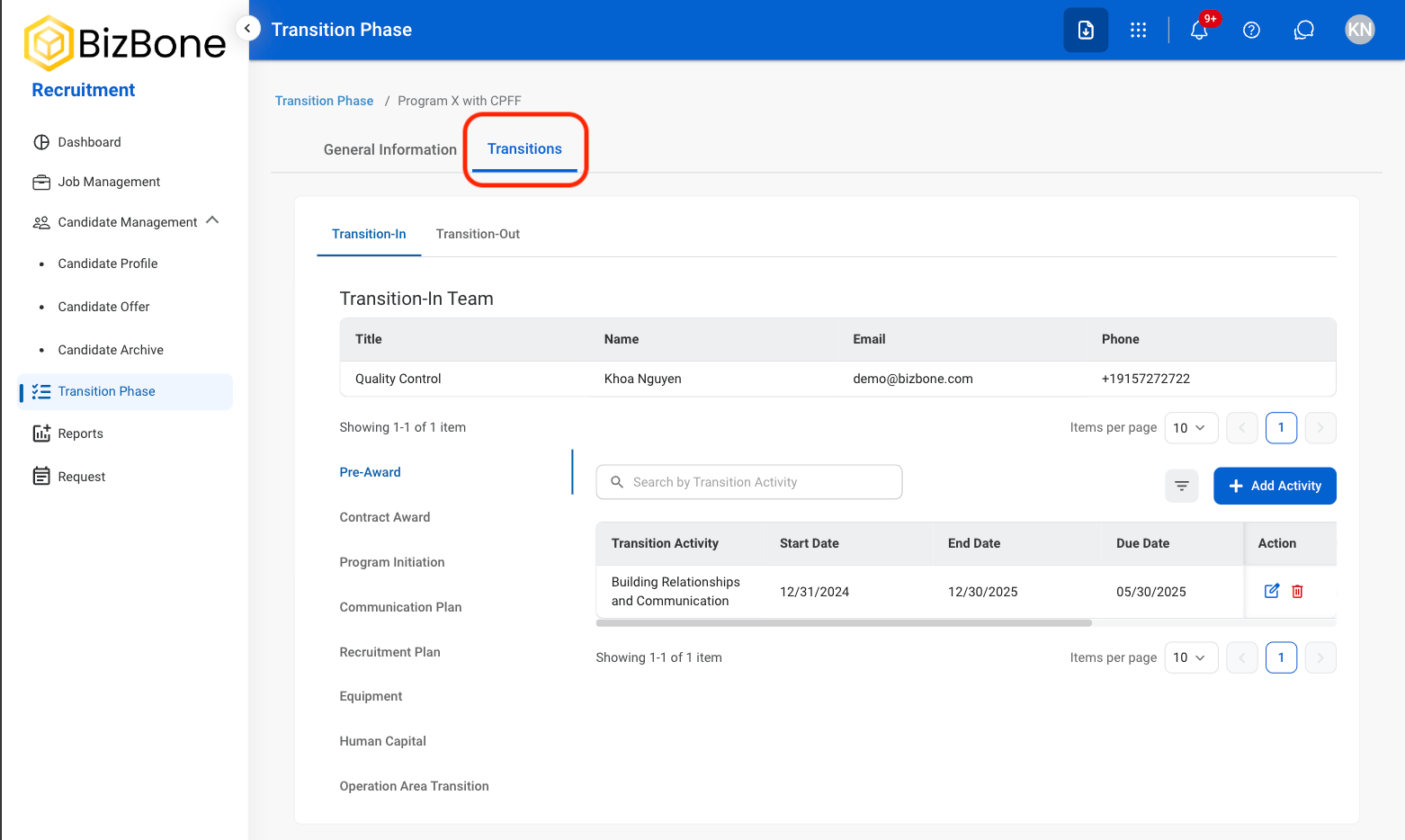
Select Transitions
3
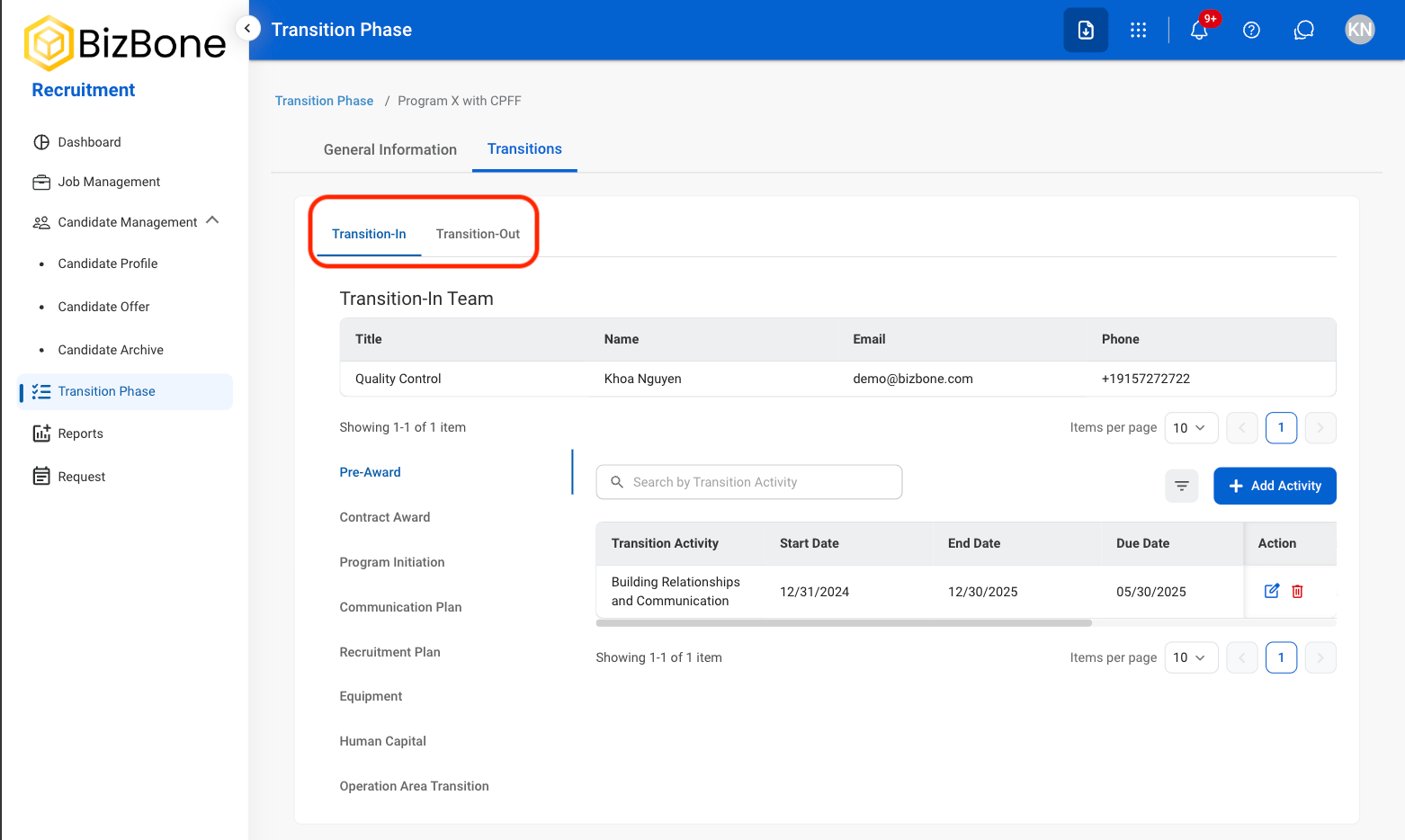
Select a view
4
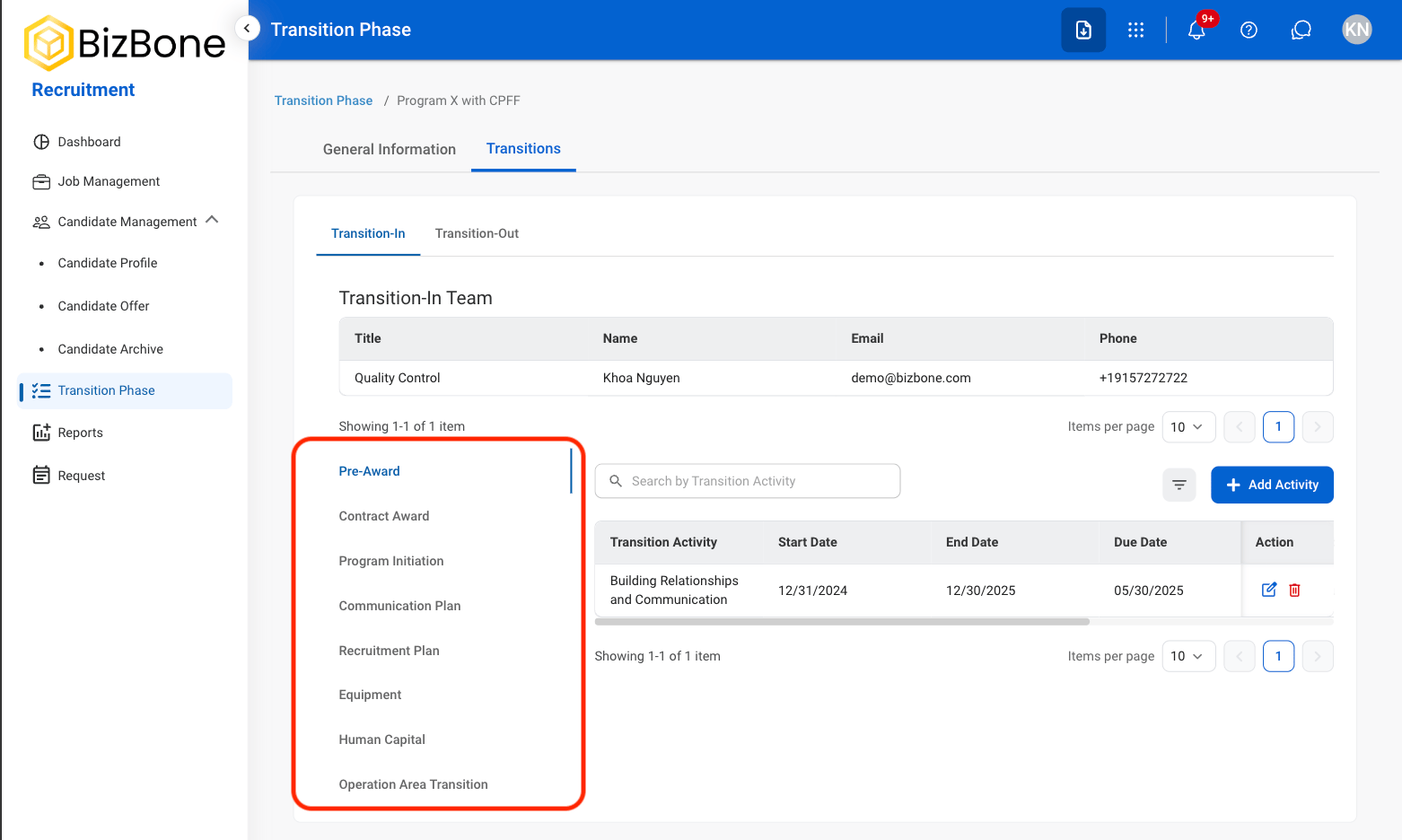
Select a category
5
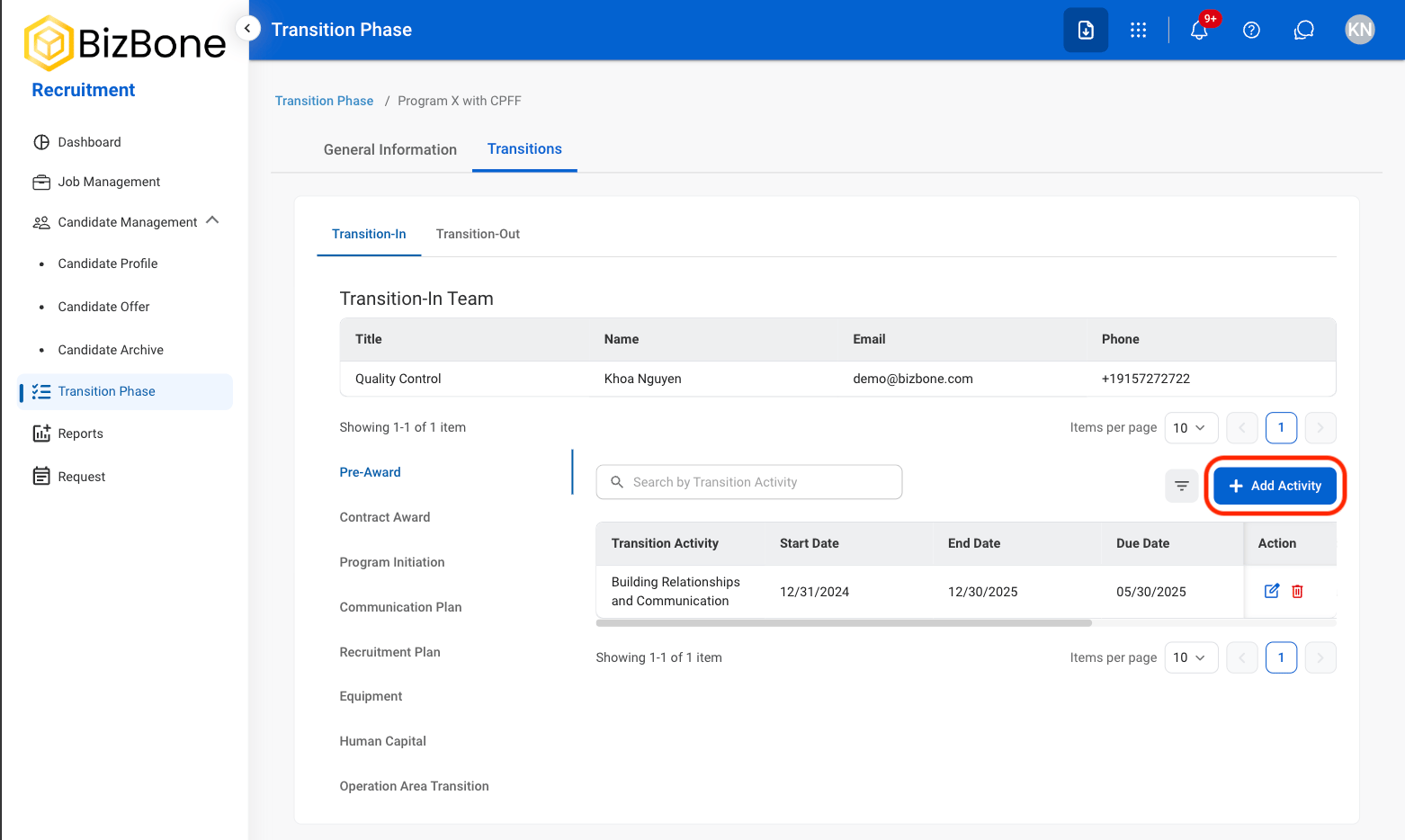
Select Add Activity
6
Fill in the required information

Edit or Delete Transition Activity
1
Select Transitions
2
Select a view
3
Select a category
4
Select the desired icon in the Action column
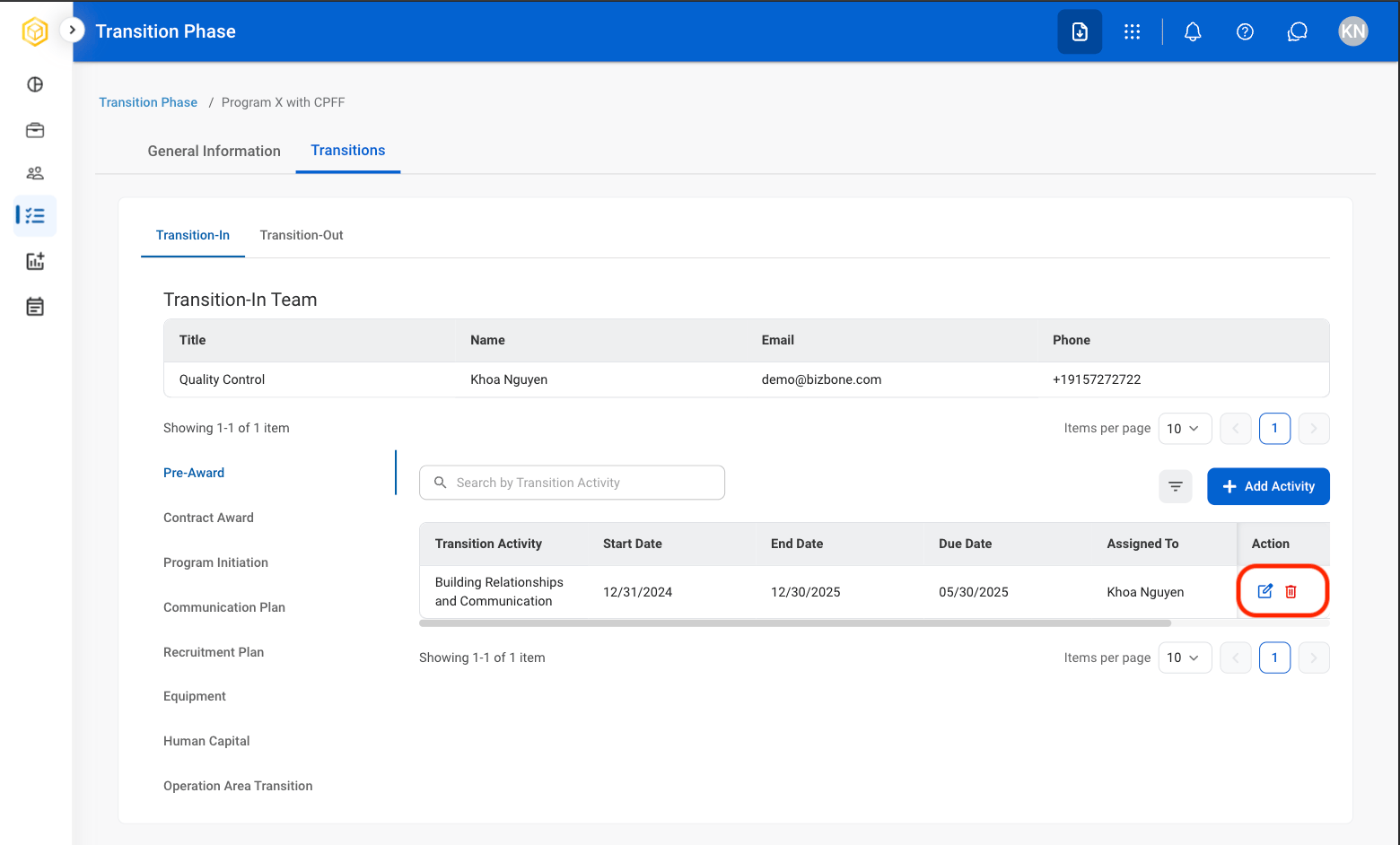
- Edit: Replace or modify the activity.
- Delete: Remove the activity.
5
Complete the action
- Edit: Select Save to complete or Cancel to exit without saving changes.
- Delete: Select Delete to complete or Cancel to exit without saving changes.