Manage internal and external user accounts associated with the organization. Supports account creation, maintenance, activation management, and access to account-related actions.

Create an Account

1

Navigate to Account Management
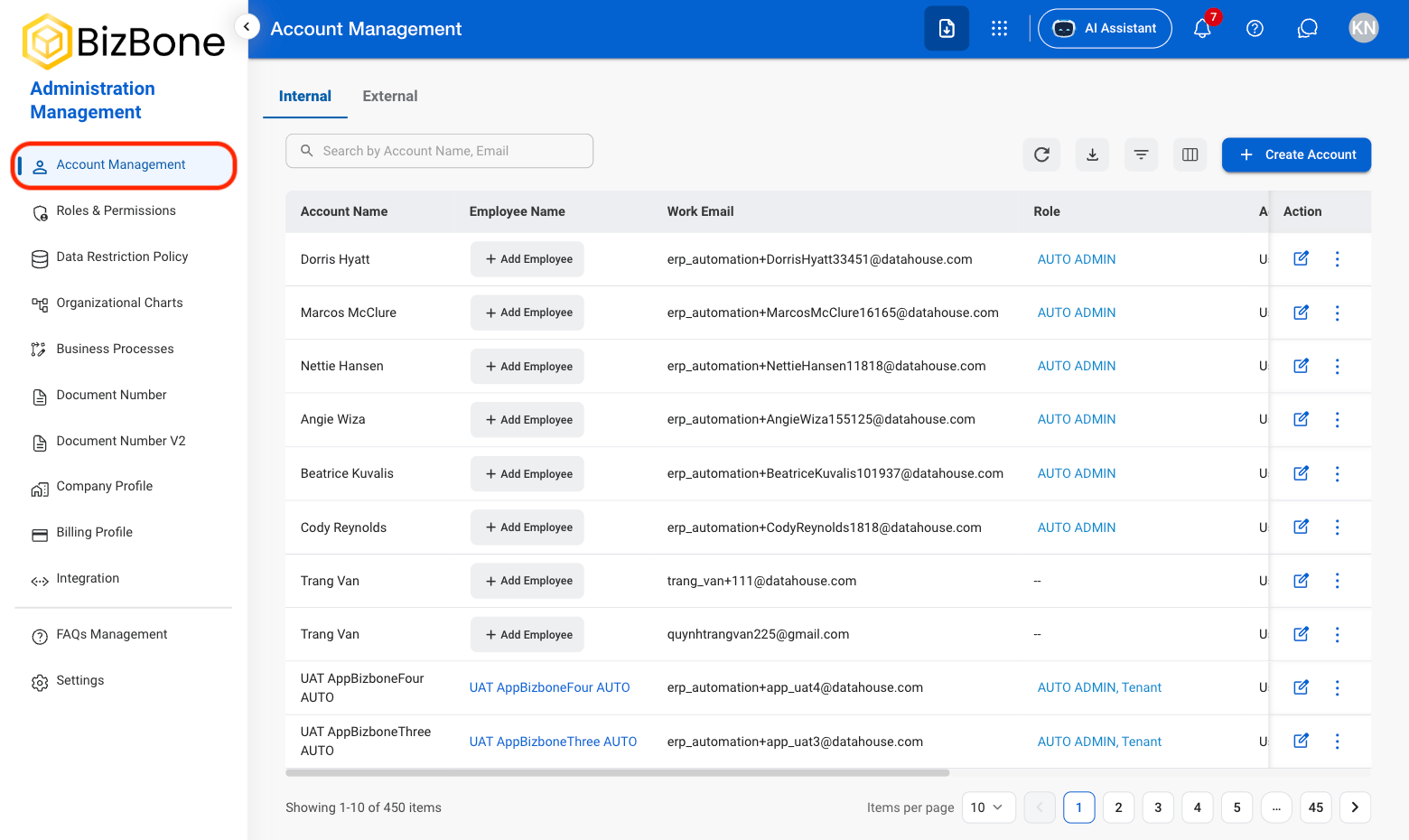
AM AM Nav
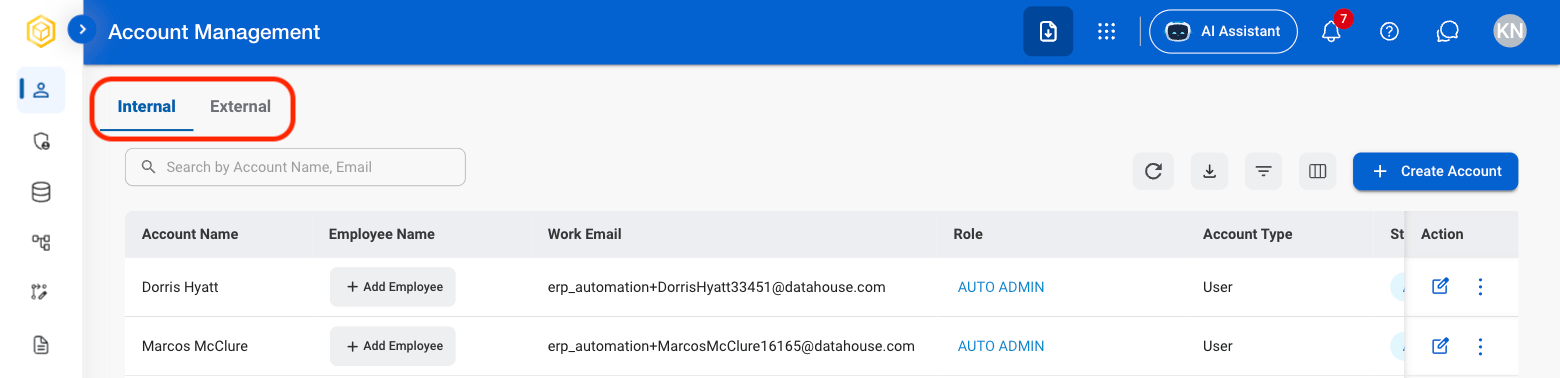
2

Select a view

AM AM View
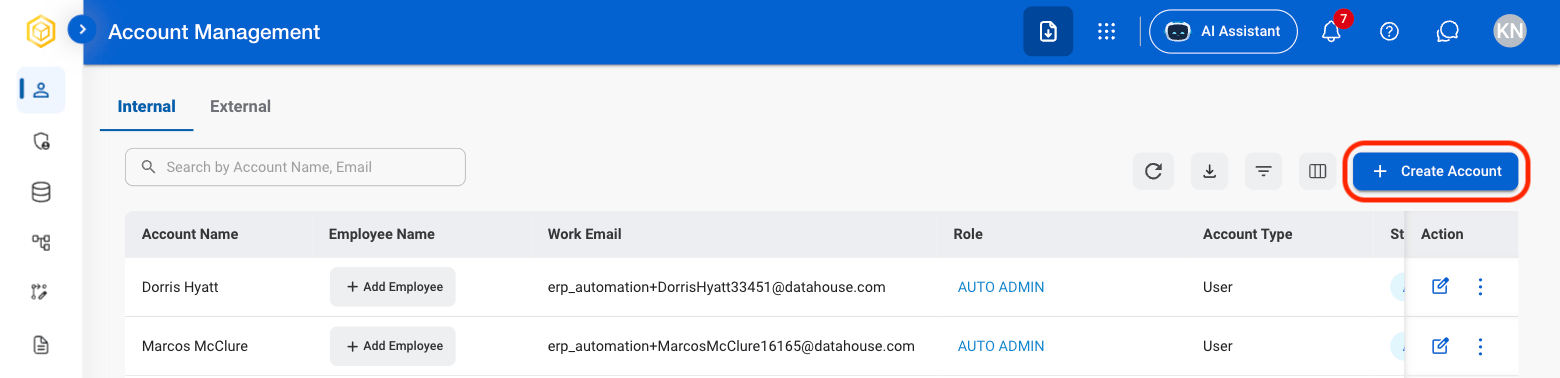
3

Select Create Account

AM AM Create Acct
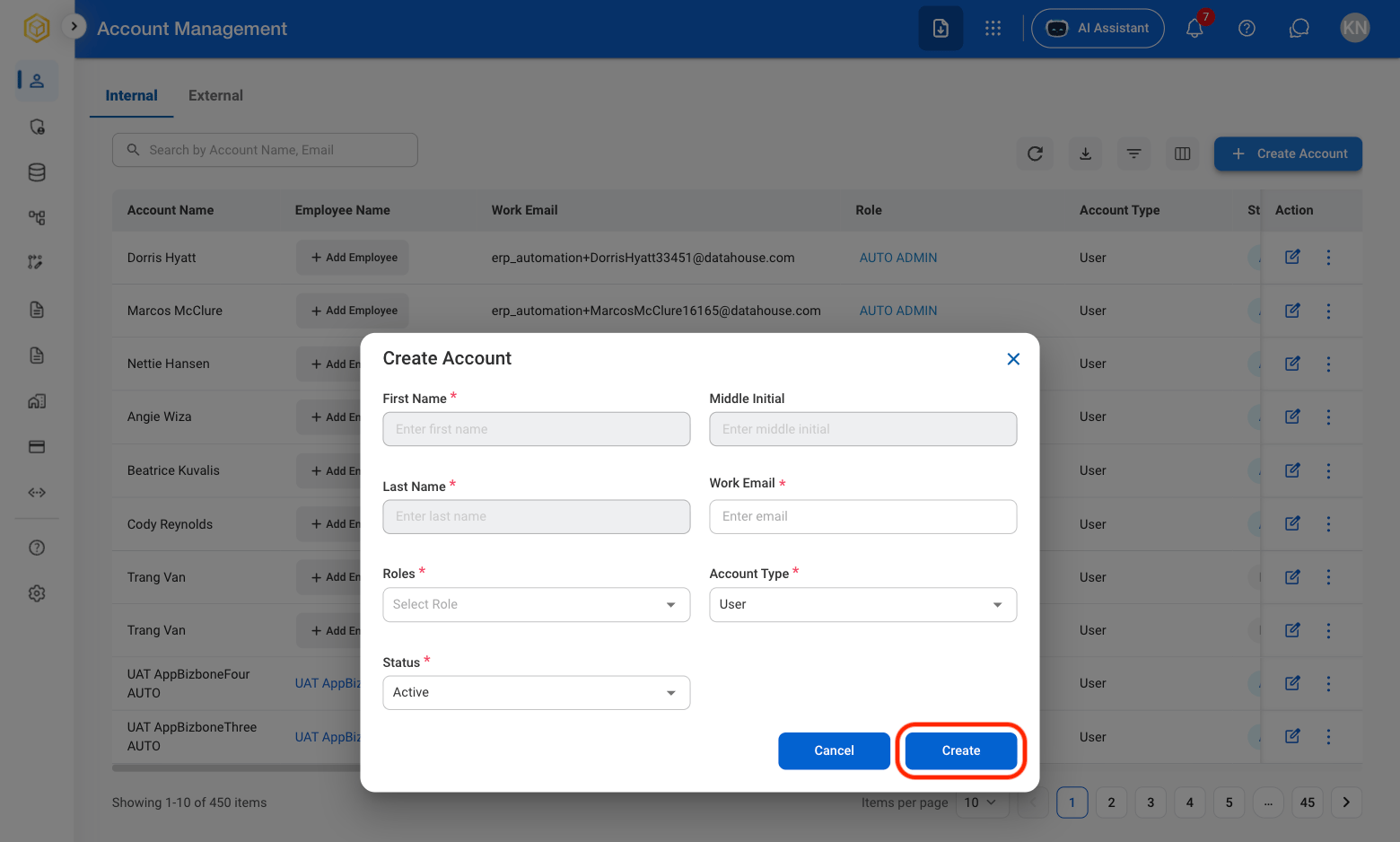
4

Fill in the required information

AM AM Conf CA
Select Create to complete or Cancel to exit without saving changes. 

Edit an Account

1

Select the Edit icon
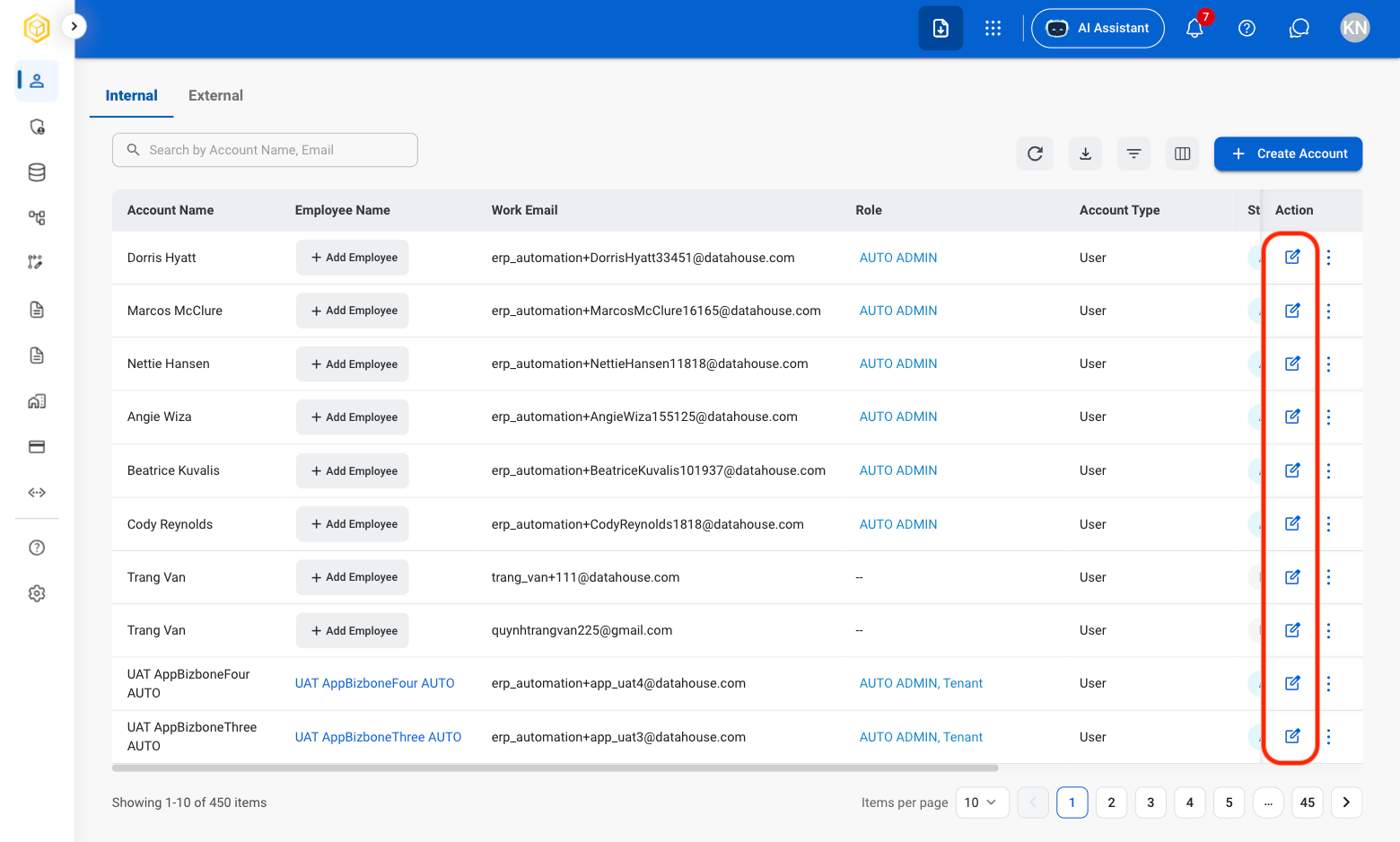
AM AM Edit Acct
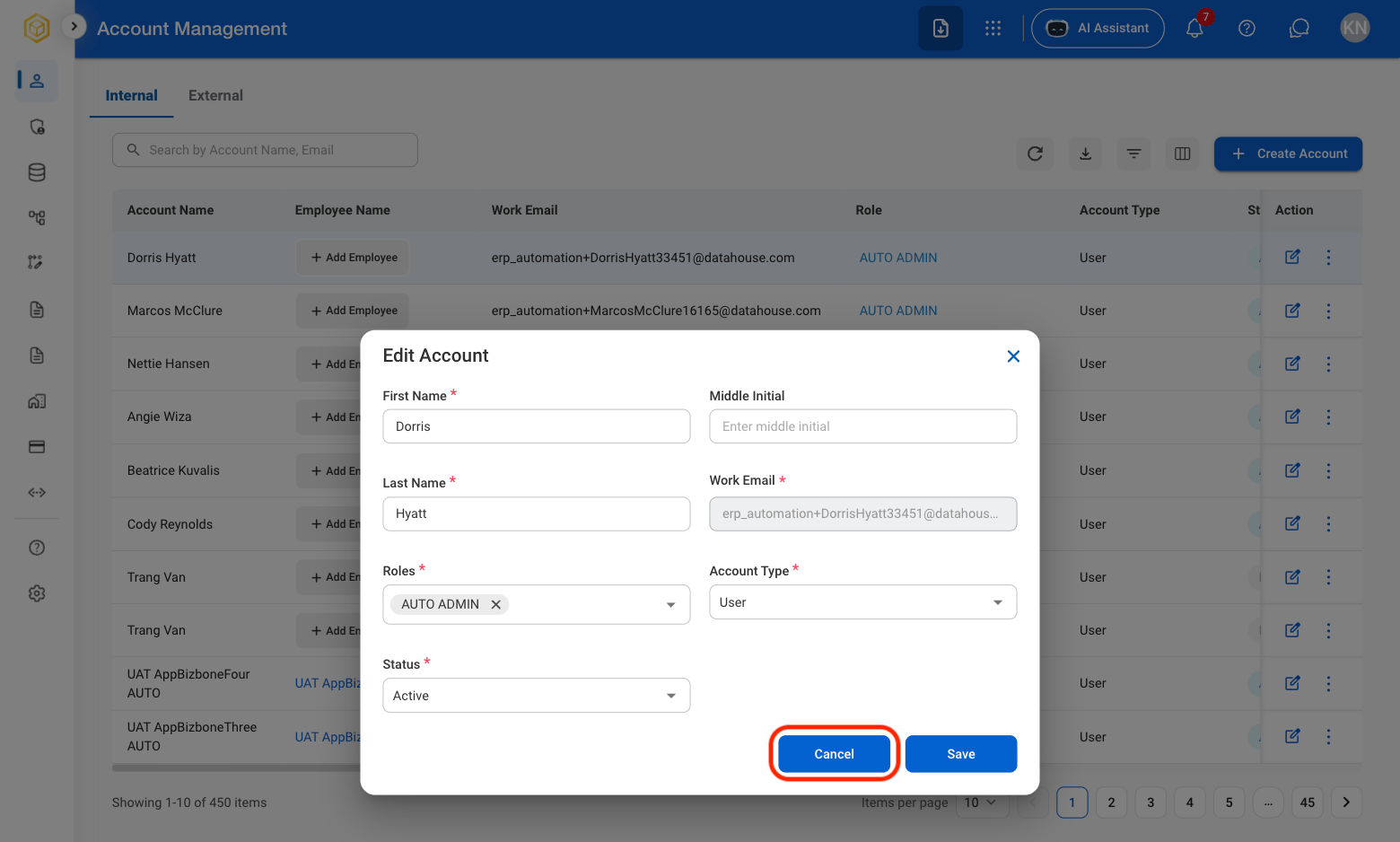
2

Fill in the required information

AM AM Edit Acct C
Select Save to complete or Cancel to exit without saving changes. 

Deactivate an Account

1

Select the ellipsis icon

AM AM Ellipsis
2

Select Deactivate

AM AM Deactivate
3

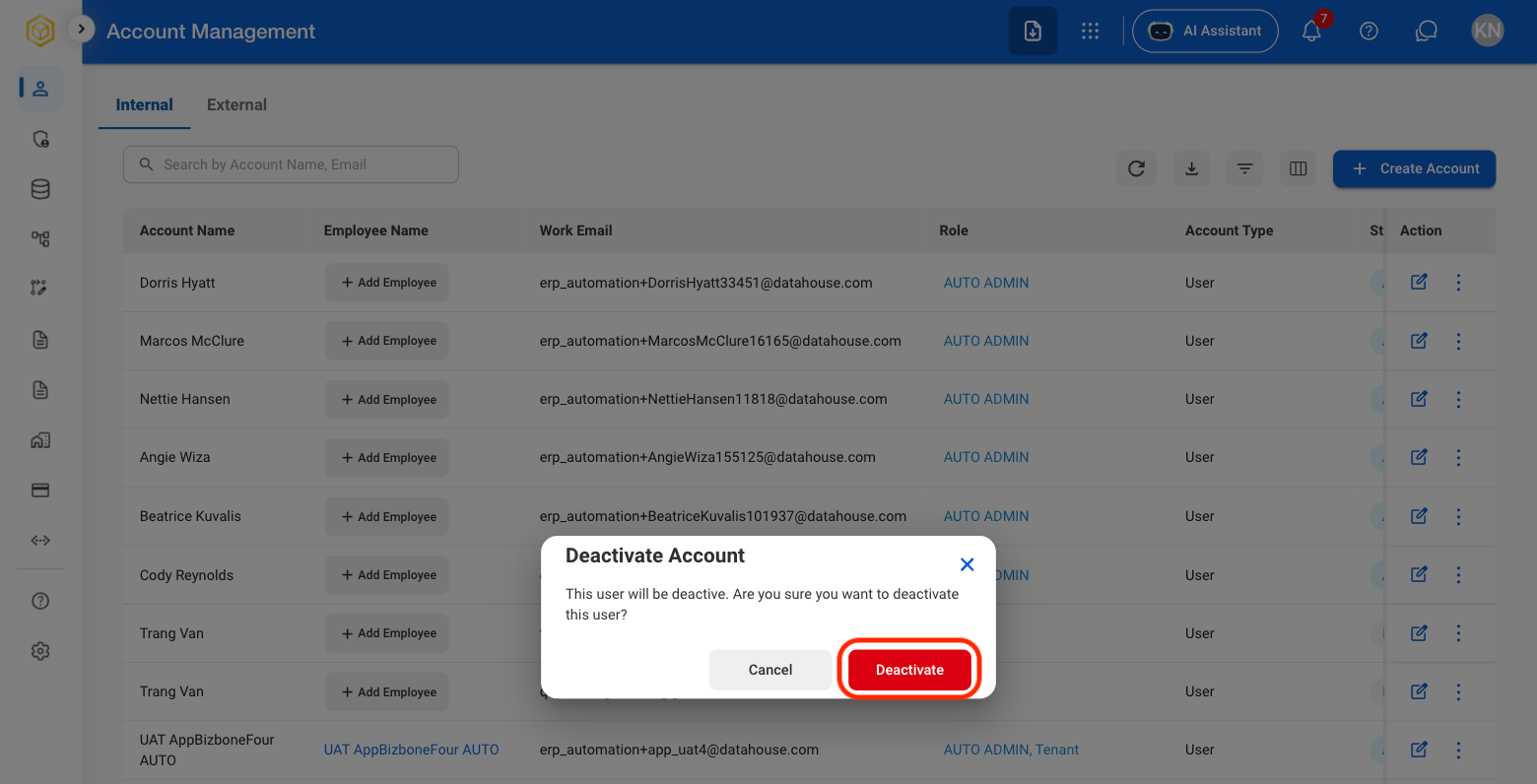
Confirm action

AM AM Deactivate C
Select Deactivate to complete or Cancel to exit without saving changes. 
1

Select the ellipsis icon

AM AM Ellipsis
2

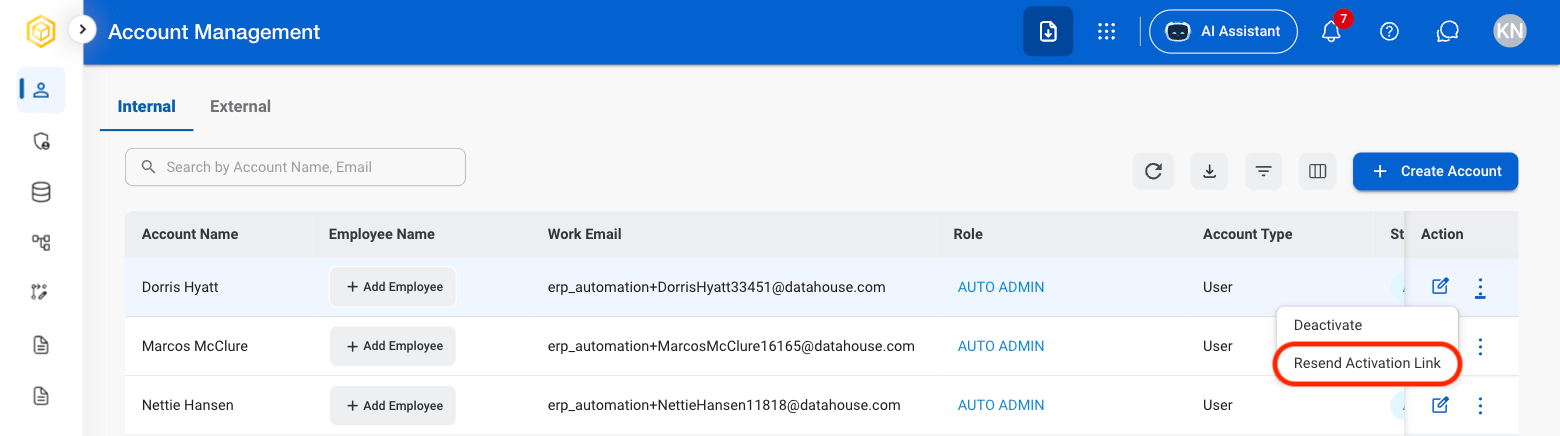
Select Resend Activation Link

AM AM Resend A Link
3

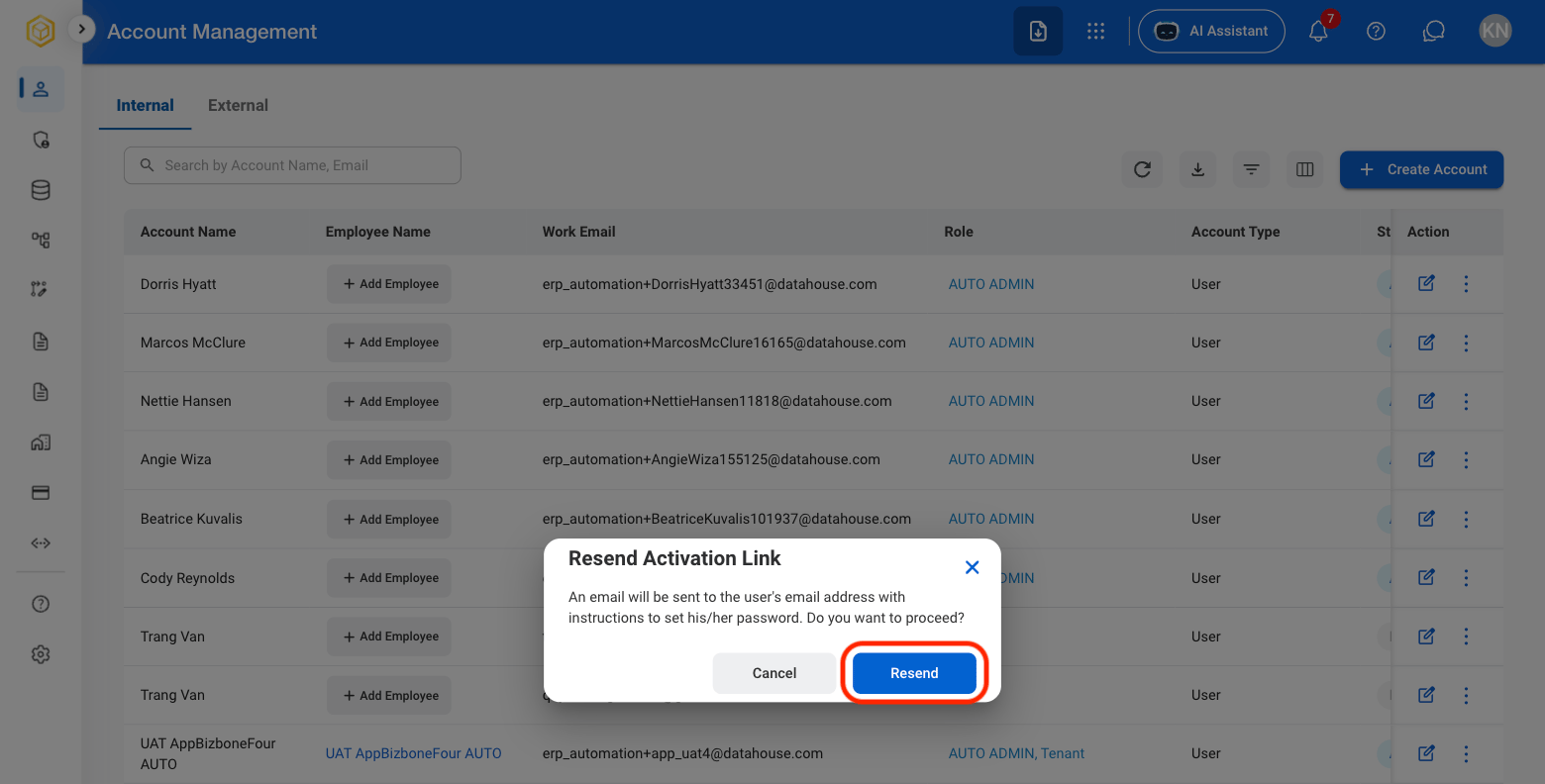
Confirm action

AM AM Resend Link C
Select Resend to complete or Cancel to exit without saving changes.