> ## Documentation Index
> Fetch the complete documentation index at: https://docs.bizbone.com/llms.txt
> Use this file to discover all available pages before exploring further.

# Introduction

## Overview of the Order Management Module

The Order Management module provides tools to manage customer orders from creation to completion. Supports order processing, status tracking, payment handling, and fulfillment to ensure accurate and efficient order lifecycle management across the system.

## Key Features of the Order Management Module

<Columns cols={2}>
  <Card icon="chart-line" />
</Columns>

## Module Access

<Steps>
  <Step title="Select the Module Menu icon">
    <Frame>
      <img src="https://mintcdn.com/bizbone/3BvPU03mTm_6TIU5/images/Module-Menu.png?fit=max&auto=format&n=3BvPU03mTm_6TIU5&q=85&s=5a2b8a581849af05aa2fde51d766d9e6" alt="Module Menu" width="1562" height="122" data-path="images/Module-Menu.png" />
    </Frame>
  </Step>

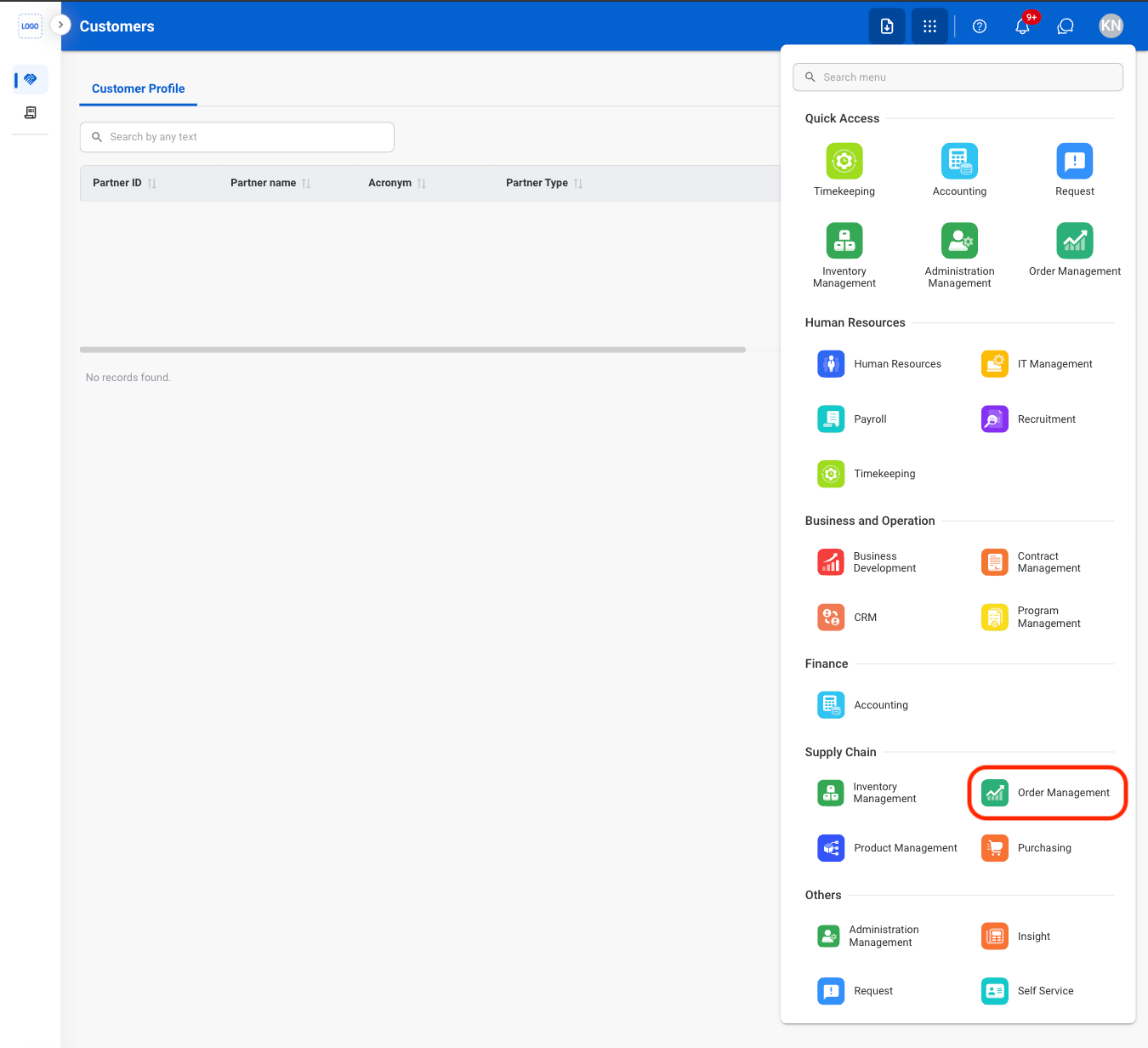
  <Step title="Select the Order Management Module">
    <Frame>
      <img src="https://mintcdn.com/bizbone/AsAEe-yExucT6Sjv/images/IM-OM-Nav.png?fit=max&auto=format&n=AsAEe-yExucT6Sjv&q=85&s=c3ee65ec22f1a84923e9970fc460e186" alt="IM OM Nav" width="1350" height="1232" data-path="images/IM-OM-Nav.png" />
    </Frame>
  </Step>
</Steps>