> ## Documentation Index
> Fetch the complete documentation index at: https://docs.bizbone.com/llms.txt
> Use this file to discover all available pages before exploring further.

# Pipeline

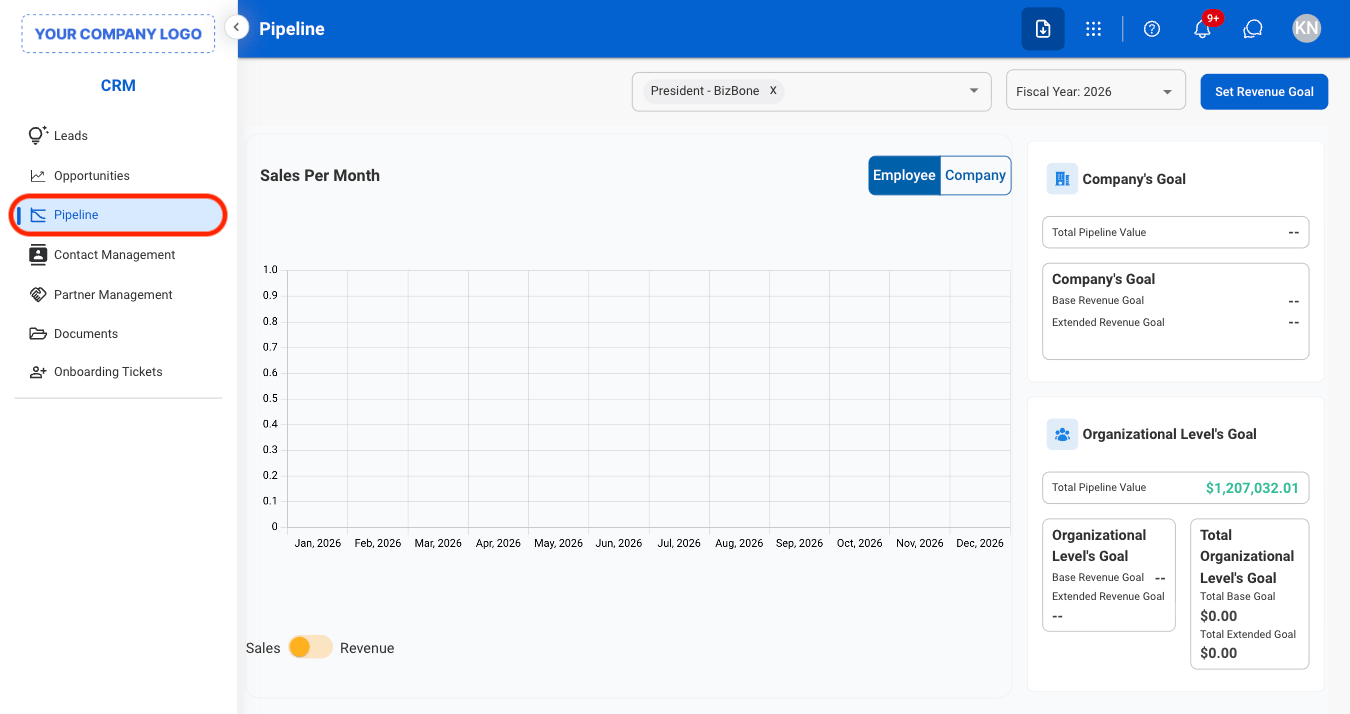
Manage sales pipelines and revenue goals. Supports tracking opportunities through each stage of the sales process while monitoring progress toward projected revenue targets.

## Set Revenue Goal
<Steps>
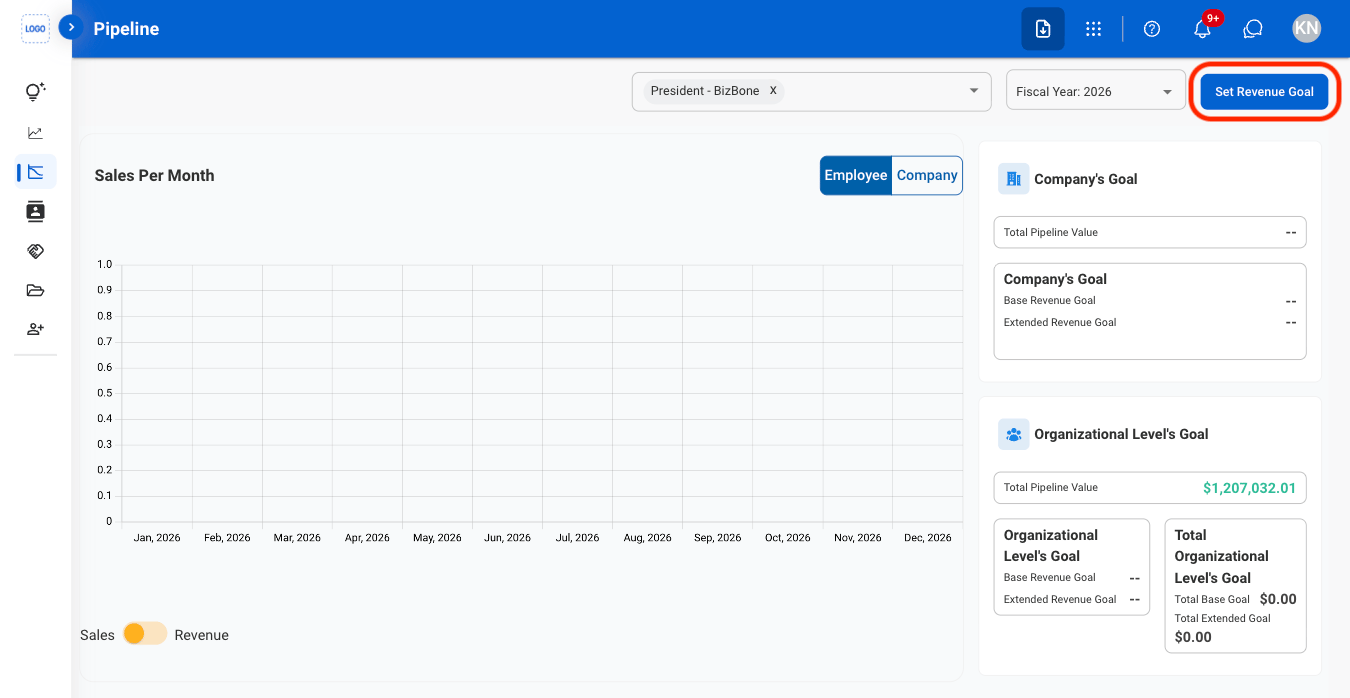
  <Step title="Navigate to Pipeline">
    <Frame>
      <img src="https://mintcdn.com/bizbone/j9nXCGIfRGEHdTNl/images/CRM-P-Nav.png?fit=max&auto=format&n=j9nXCGIfRGEHdTNl&q=85&s=2a29c91c4a009de8cf8bc781ed530436" alt="CRM P Nav" width="1350" height="714" data-path="images/CRM-P-Nav.png" />
    </Frame>
  </Step>

  <Step title="Select Set Revenue Goal">
    <Frame>
      <img src="https://mintcdn.com/bizbone/y_if5yadWXl0ekGH/images/CRM-P-R-Goal.png?fit=max&auto=format&n=y_if5yadWXl0ekGH&q=85&s=920cfcd841bb2326216494aa92dd328c" alt="CRM P R Goal" width="1350" height="698" data-path="images/CRM-P-R-Goal.png" />
    </Frame>
  </Step>

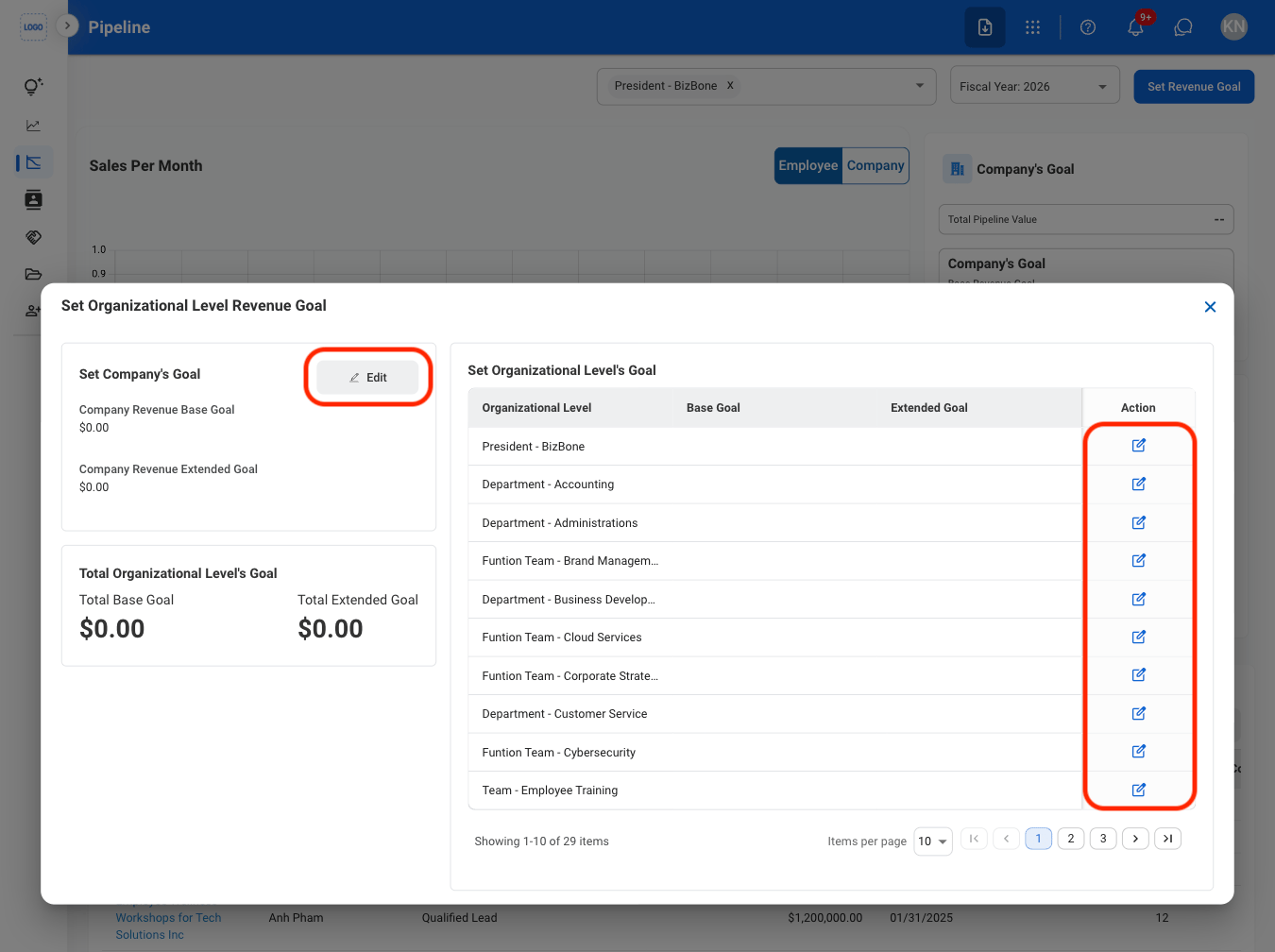
  <Step title="Select Edit">
    <Frame>
      <img src="https://mintcdn.com/bizbone/y_if5yadWXl0ekGH/images/CRM-P-RGoal-Edit.png?fit=max&auto=format&n=y_if5yadWXl0ekGH&q=85&s=be696f17a3f16d1732f9bfda789e29c9" alt="CRM P R Goal Edit" width="1350" height="1008" data-path="images/CRM-P-RGoal-Edit.png" />
    </Frame>
  </Step>

  <Step title="Fill in the required information">
    Select **Save** to complete or **Cancel** to exit without saving changes. 
  </Step>
</Steps>

## View Pipeline

<Steps>
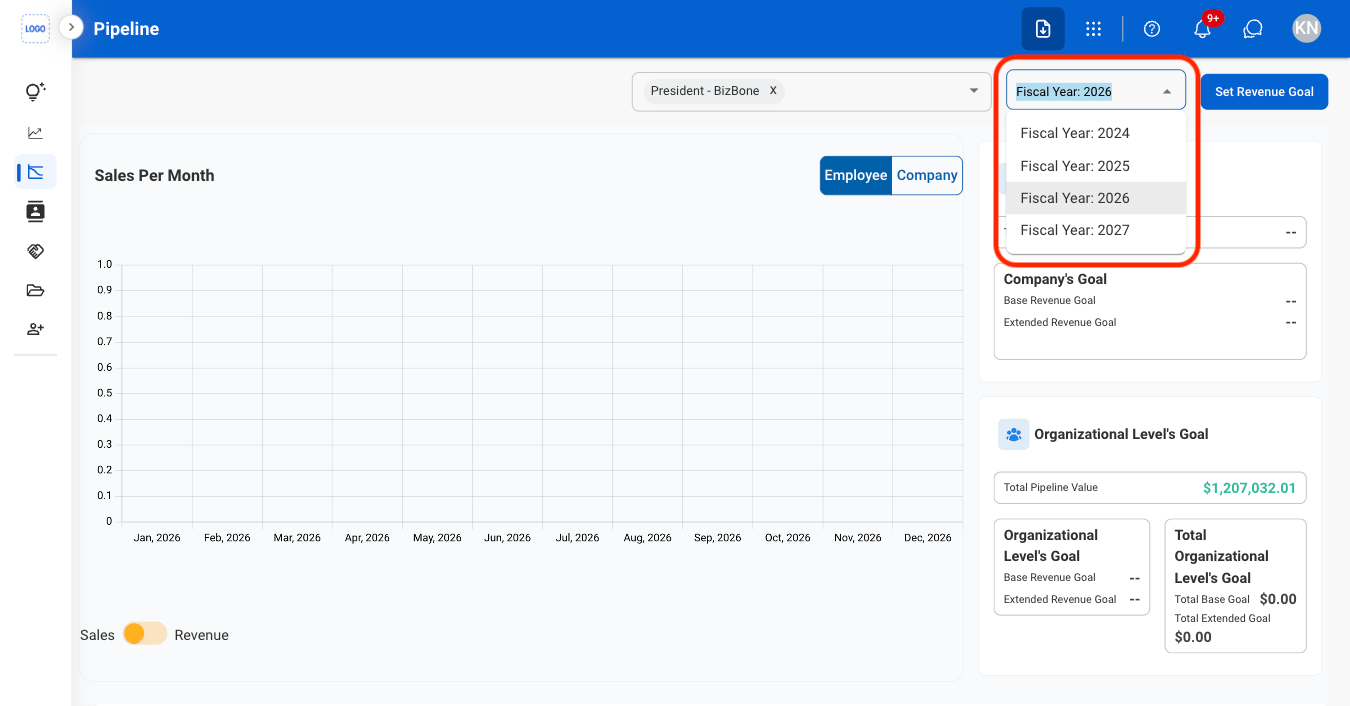
  <Step title="Select a fiscal year">
    <Frame>
      <img src="https://mintcdn.com/bizbone/j9nXCGIfRGEHdTNl/images/CRM-P-Fiscal-Yr.png?fit=max&auto=format&n=j9nXCGIfRGEHdTNl&q=85&s=e16dce0ef729c4309243d742c99092f5" alt="CRM P Fiscal Yr" width="1350" height="706" data-path="images/CRM-P-Fiscal-Yr.png" />
    </Frame>
  </Step>

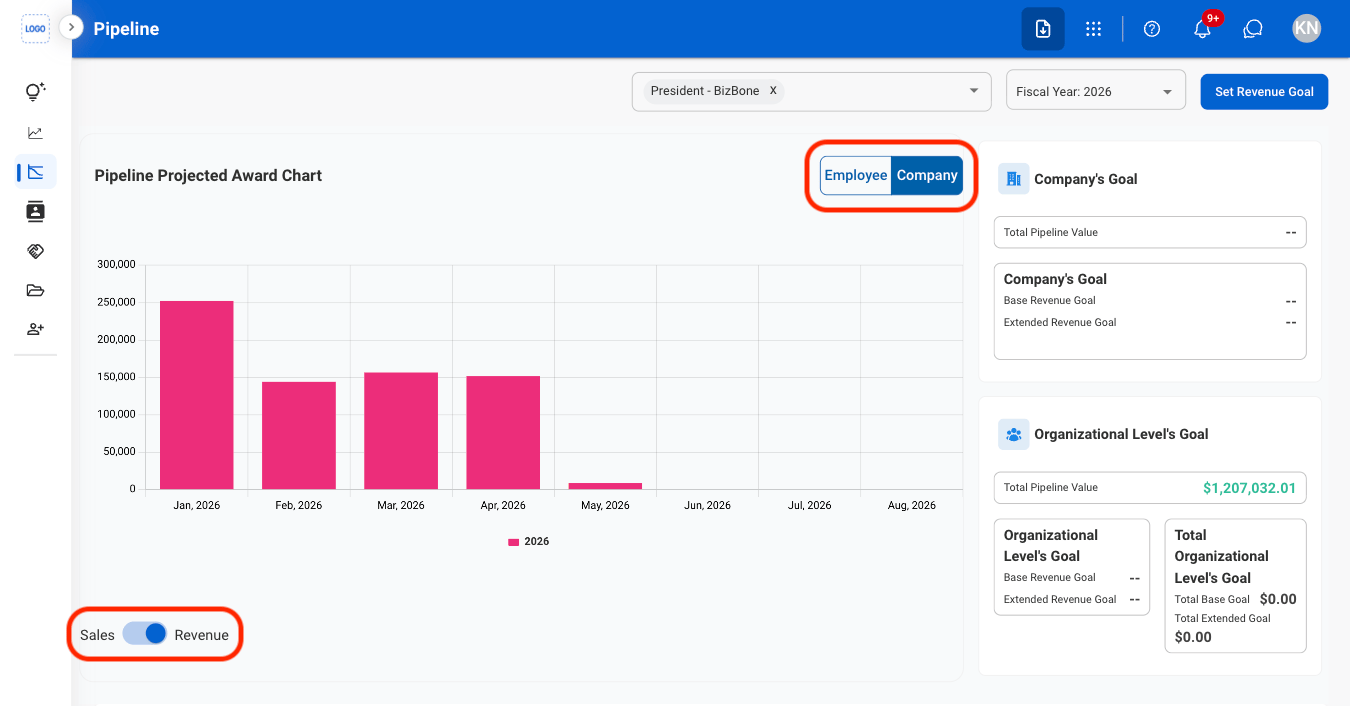
  <Step title="Select view options">
    <Frame>
      <img src="https://mintcdn.com/bizbone/y_if5yadWXl0ekGH/images/CRM-P-View.png?fit=max&auto=format&n=y_if5yadWXl0ekGH&q=85&s=bd5d3ab4b1a545aec3e078c7129c830c" alt="CRM P View" width="1350" height="706" data-path="images/CRM-P-View.png" />
    </Frame>

    * **Employee**: View pipeline activity and opportunities associated with individual employees
    * **Company**: View pipeline activity and opportunities grouped by company.
    * **Sales**: View the value or volume of sales opportunities in the pipeline.
    * **Revenue**: View the expected revenue generated from pipeline opportunities
  </Step>
</Steps>